Select → Sync → Play: The Fastest Way to Run a Photo Booth Experience
Running a photo booth shouldn’t feel complicated.
In real life, events move fast. Sometimes you want full creative control. Other times, you just want everything to work, without setup stress or technical steps.
For years, “ready-made” experiences existed, but they often came with friction: downloading files, managing assets, importing layouts, and double-checking everything on site.
With FMX, we decided to rethink that entire flow.
The result is Select → Sync → Play.

🚀 What Is Select → Sync → Play?
It is the fastest and easiest way for you to run a photo booths experience in FMX.
It’s designed to remove the learning curve, lower the entry barrier, and let you start using your booth immediately, without setup or technical work.
Instead of starting from scratch, you work with ready-to-run presets that already include everything needed for a real event.
The Flow:
-
Select a preset in Foto Master Cloud ☁️
-
Sync it to your booth in FMX 🔄
-
Play and start the experience ▶️
That's it!
🌈 Ready-Made Experiences, Done Right
FMX comes with a growing library of ready-to-use presets.
Each preset is a complete experience, already built and tested by Foto Master.
That includes:
✔️ Workflow logic
✔️ Layout design
✔️ Media handling & Outputs
All presets are generic and non-branded, so you can use them exactly as-is for an event tomorrow, or adapt them to your client's brand. You get a solid, professional starting point every time.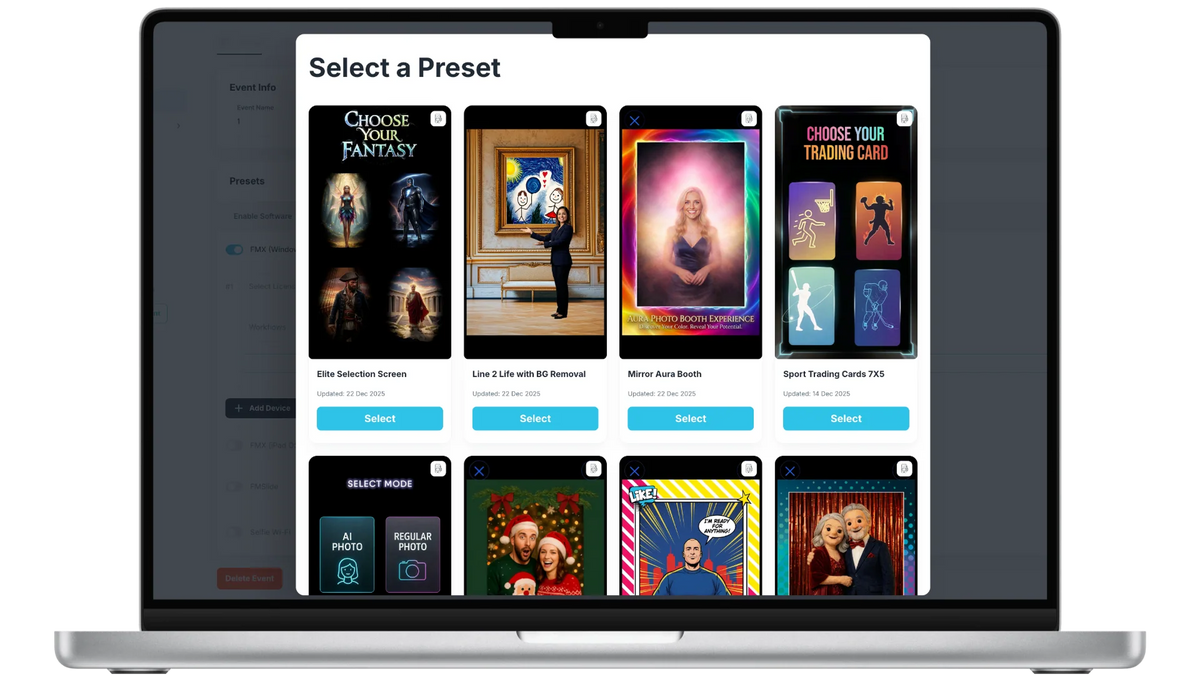
🧐 Why This Matters (Especially at Events)
Select → Sync → Play removes the most common pain points photo booth owners deal with:
🚫 No last-minute setup stress
🚫 No complicated training for staff
🚫 No “did I forget something?” moments
🚫 No tech panic on-site
With FMX:
✅ You can start immediately
✅ No technical knowledge is required
✅ You get professional, tested experience
✅ Perfect for events, rentals, demos, and first-time users
✅ You clearly see what’s possible from day one
✅ Once you run your first experience, everything else becomes intuitive.
For experienced owners, it saves hours every week.
For new owners, it removes the fear of getting started.
⚡ Simple to start. Flexible to grow.
We know that versatility is the heartbeat of a photo booth business.
That’s why Select → Sync → Play is designed to complement our powerful workflow builder, not replace it.
Once you’re comfortable, you can:
• Duplicate any preset
• Edit layouts, text, colors, and branding
• Adjust workflows and features
• Build fully custom experiences from scratch
FMX grows with you. You can stay simple or go as advanced as you want.
🚀 Ready to Press Play?
Select → Sync → Play is the foundation of FMX, Foto Master’s next-generation photo booth software for Windows and iPadOS.
If you’re already using Foto Master, this is the easiest upgrade you’ll ever make.
If you’re new, it’s the clearest way to start strong.
👉 Learn more about FMX
👉 Book a demo