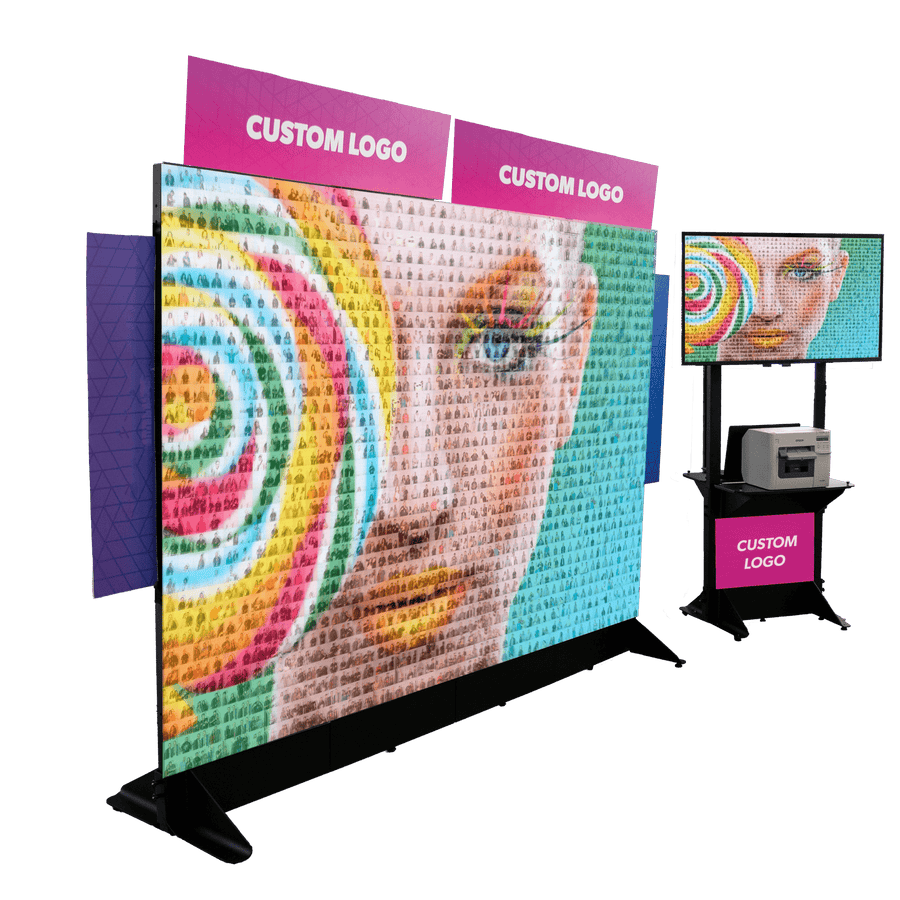
PMWall transforms live event photos into stunning physical mosaics in real time. Its exclusive algorithm turns individual photos into a larger image or logo while keeping the experience fast, interactive, and easy to operate. For a digital or online mosaic experience, add Virtual Mosaic.
PMWall transforms live event photos into stunning physical mosaics in real time. Its exclusive algorithm turns individual photos into a larger image or logo while keeping the experience fast, interactive, and easy to operate. For a digital or online mosaic experience, add Virtual Mosaic.
Pick the picture your client wants to see. Guests spend the night making it out of their own photos, and nobody knows what it is until enough tiles are up.
The Image Is Yours to Choose
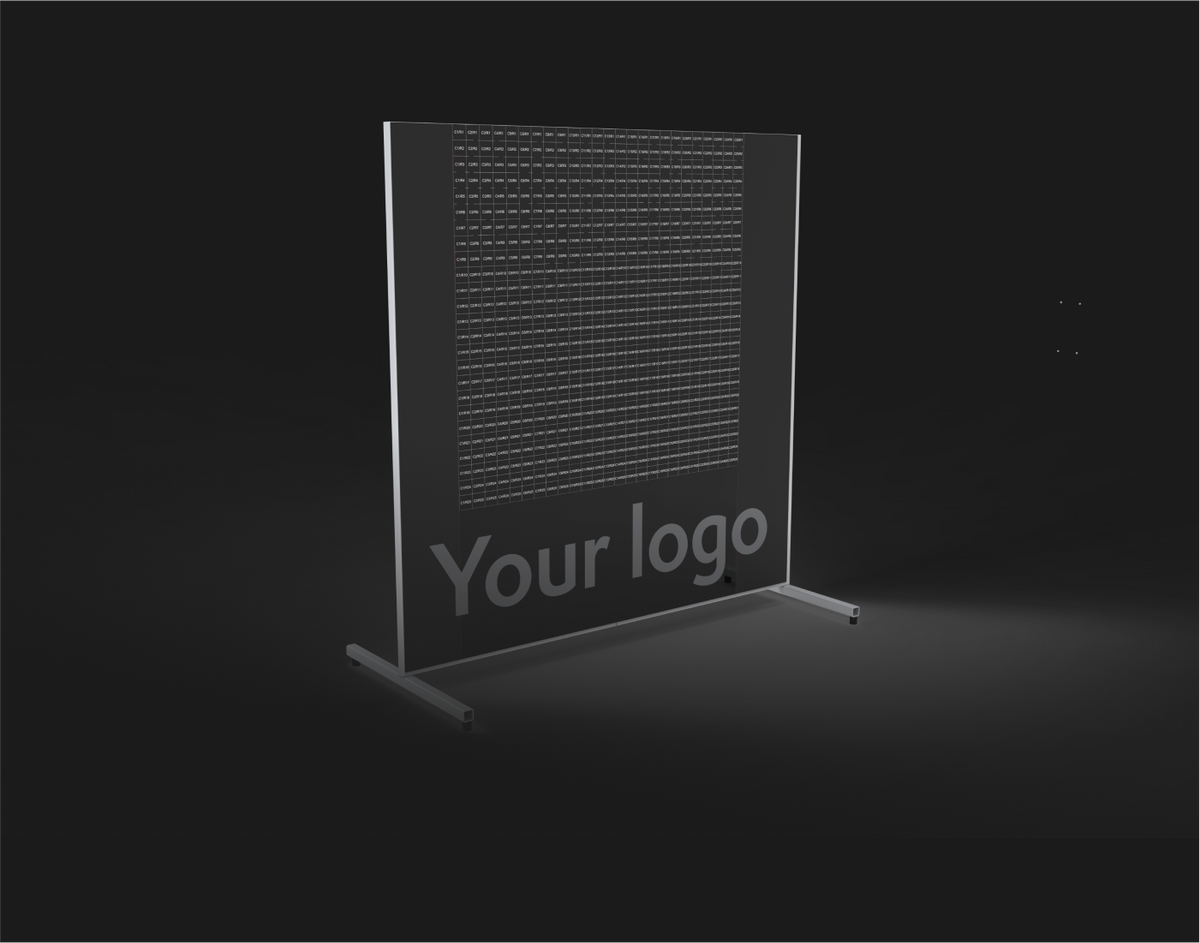
A logo, a portrait, a product, a campaign visual. Anything that prints becomes a wall.
Built From Everyone in the Room
Every guest photo becomes a tile, and Guaranteed Visible keeps everyone who took part on it.
The Thing Guests Gather Around
Clients book it because it is what the room photographs all night.
How the Mosaic Comes Together
Three steps, from the first guest photo to the finished wall.
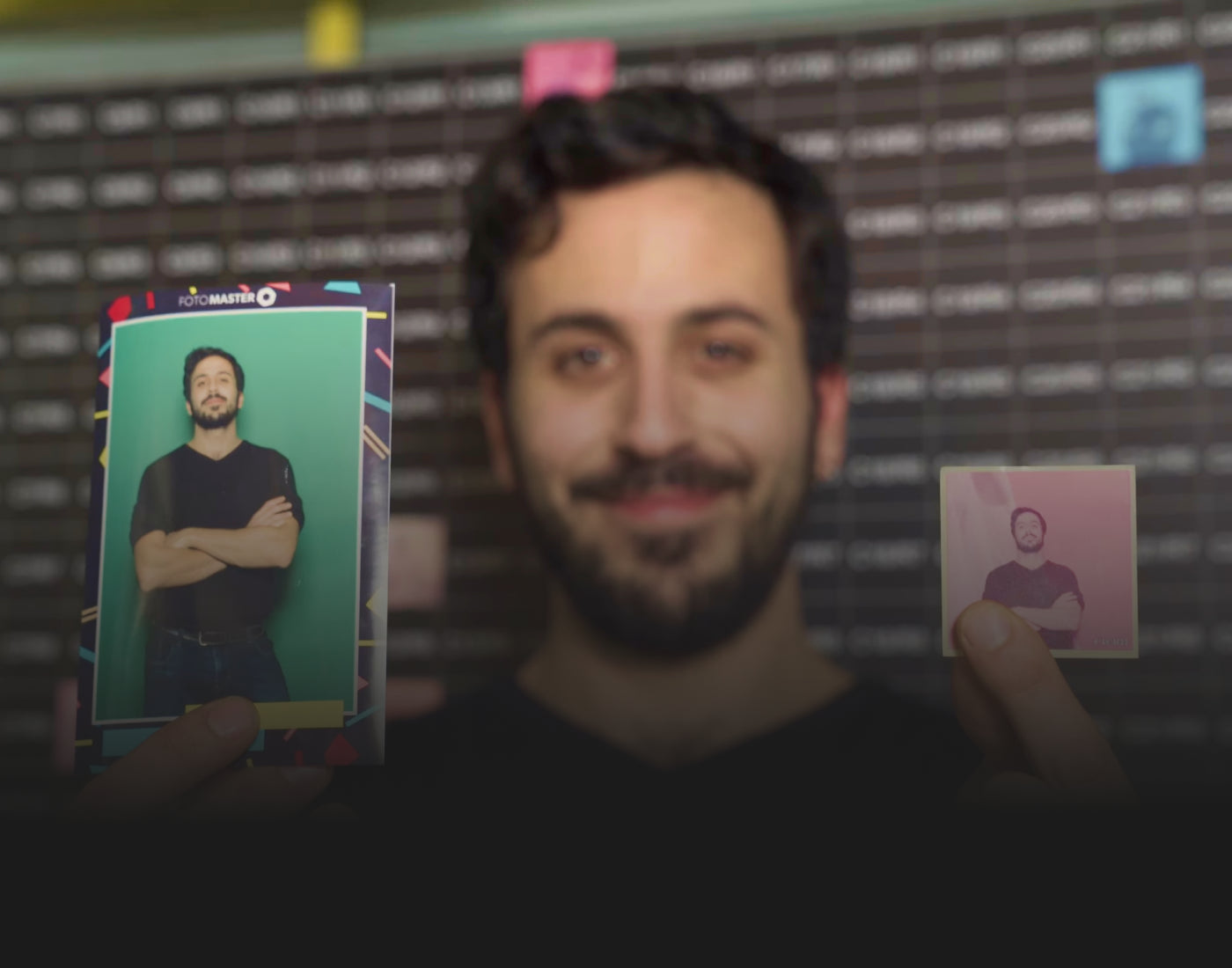
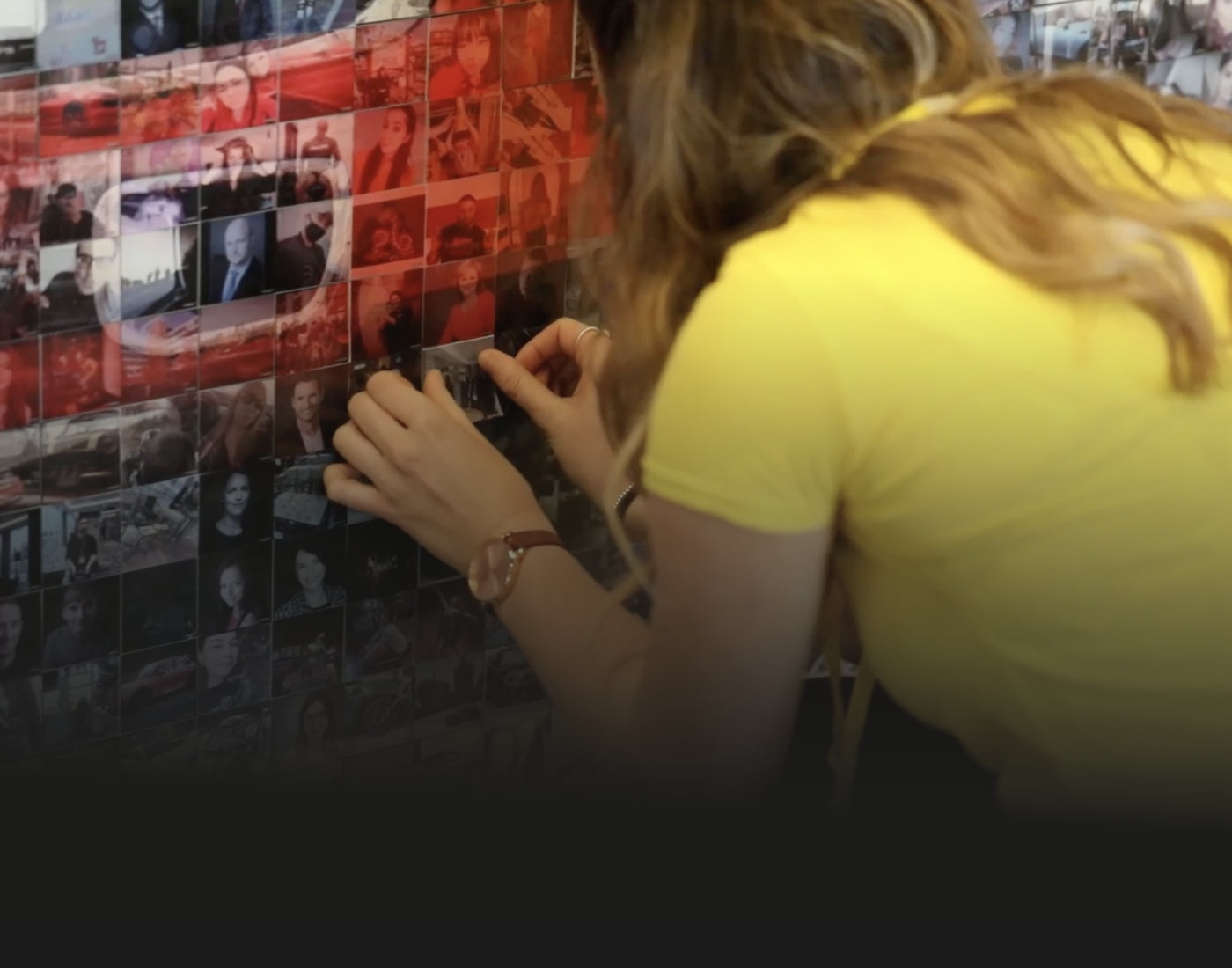
Each photo is matched to its ideal placement and colored to fit, then printed as a tile with its position on the board. Guests find the spot and stick it on.
Step 3
The big picture is revealed
Tile by tile the image emerges, and the mosaic comes to life as an unforgettable masterpiece.
Turn Every Guest Into Part of the Bigger Picture
Every photo is analyzed and blended before it becomes a tile, so the finished wall reads as one image without losing the people inside it. All of it is yours to tune.
Fully customizable
Four-Zone Blending
Faces, skin, clothing and background blend separately, so the wall reads from across the room and guests stay recognizable up close.
Smart Placement
Color and detail analysis finds every photo its best cell, and keeps similar shots away from each other.
Tuned to Your Taste
Framing, grid, matching weights and blending strength are all yours to set, per event.
Key Features
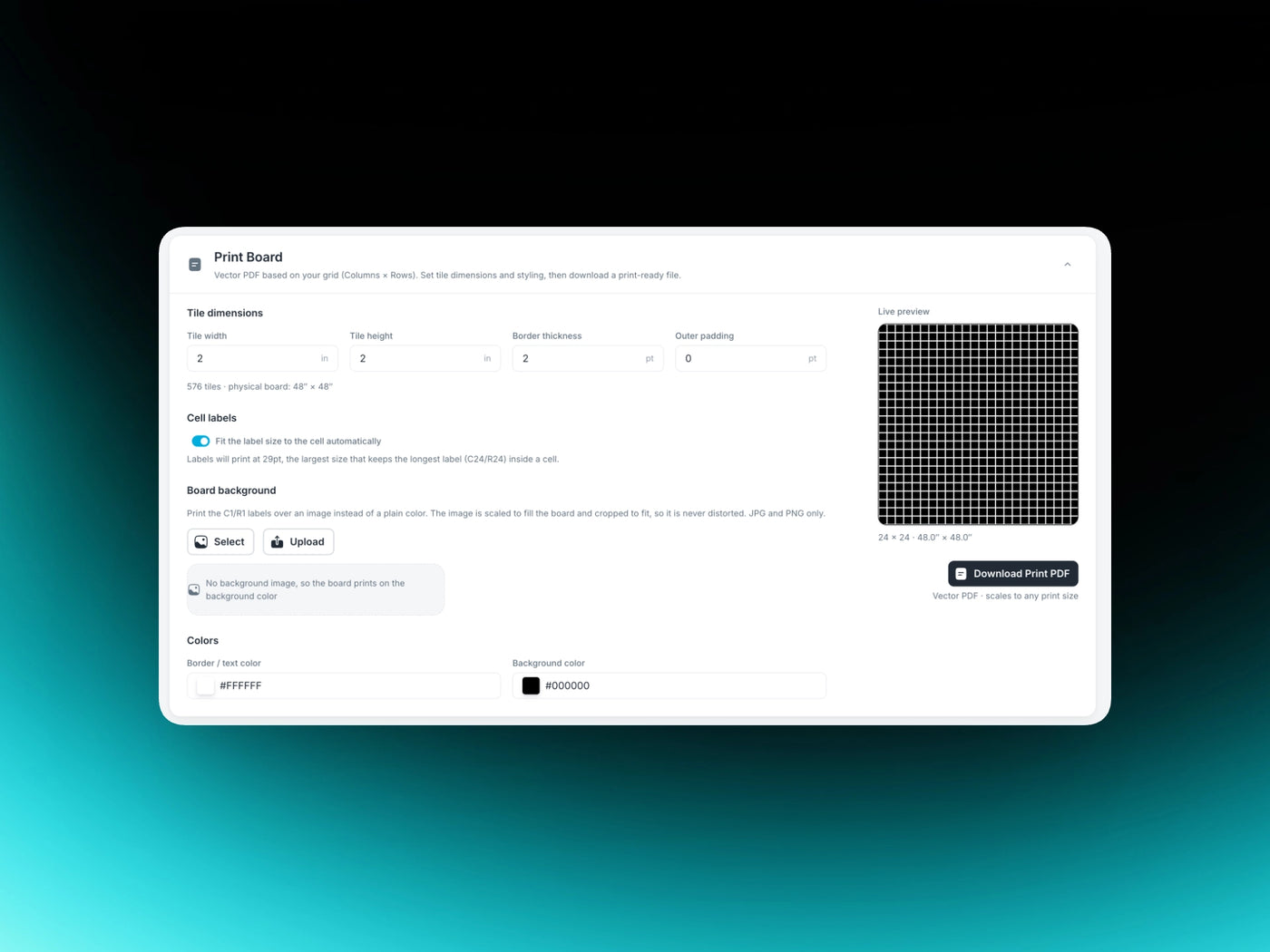
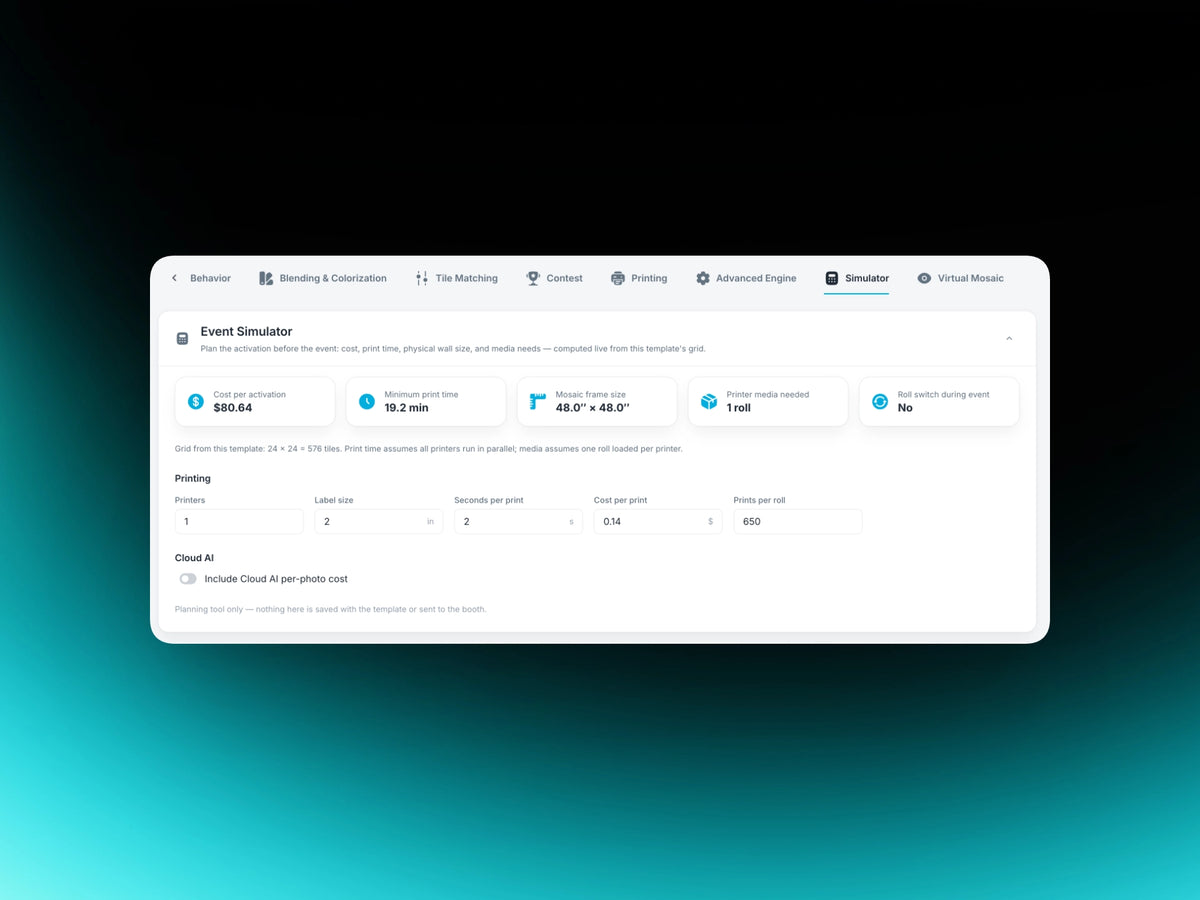
Any Grid, Your BrandingSet the grid to whatever the space needs, and brand the physical board itself for your client.Smart Cropping and PlacementFace-aware cropping, and color analysis that puts every photo where it does the most for the picture.Completes On Time, Every TimeA steady print rate, so the wall finishes with the event.High-Resolution Mosaic SavingThe finished wall stitched into a single print-ready master image.Contest ModeHide winning tiles in the grid. The guest whose photo lands on one wins, announced live.Print-Ready Board PDFGenerate the board PDF straight from the Cloud, from the same grid as your event.ModerationApprove photos before they reach the wall. Switch it on or off mid event.Event SimulatorCost, print time, finished wall size and media needed, worked out before you quote.
Fetch Photos From Every Source at Once
Run as many of these as you like at the same event, at the same time. AI Hot Folder is free with Foto Master Cloud, so any capture method on any computer can feed the same wall.
Photo Booth On SiteAny Foto Master booth at the event.PhotographerA roaming DSLR shooter, through FMX for Windows.Guests' Own PhonesScan a QR and upload with Selfie Wi-Fi.Local FolderDrop files from a card or drive into the event folder and PMWall picks them up.Online GalleryPhotos already sitting in the Cloud event gallery.
Your photo sourcesHowever many you are running
Foto Master Cloud Event GalleryEverything lands in one event
PMWall on the event computerPulls from the gallery and builds the wall
Every Setting Lives in the Cloud
Nothing about the event is trapped on one machine. Build it anywhere, sync it to whatever computer you take.
Build and Change It From Anywhere
Main image, grid, blending, matching and printing are all authored in Foto Master Cloud, from any browser. Adjust it the night before, sync again, and the event computer has it.
Sync to Windows and Start
Open PMWall on the event computer, sign in and sync. Every setting you authored in the Cloud comes down with the event, and the mosaic runs locally from there.
An optional add-on that puts the same mosaic in a browser, building live beside the physical wall. Put it on any display in the room, or send the link to everyone who couldn't be there.
Contribute From Anywhere
Guests upload from their phones, in the room or not.
Every Tile Tells a Story
Story Mode adds names and stories to selected contributions.
Know Who Took Part
Collect names and contact details with consent built into the form.
$49/month add-on
Runs on any screen, in the room or online
The Photo Mosaic Wall in Action
Watch how the Photo Mosaic Wall energizes real events and creates lasting memories.
Foto Master's products stand out because they're always pushing boundaries. We're excited about their updates, they always stay relevant and meet the needs of our industry.
We've been incredibly impressed with Foto Master's customer service. This, along with the versatility of Foto Master's products, has helped us achieve significant success.
PMWall integerates perfectly into my existing workflow. I needed a mosaic wall software that allowed me to use my current shooting setup and PMWall works perfectly with its flexible options using Ai Hot Folder. I'm able to shoot remotely from the PMWall computer and am not limited to any specific space.
The Virtual Mosaic add-on is a big component of my services and there were a few things that I was in need of. I asked support for help on implementing a few changes and within a day, they had responded and updated the software. It's amazing how responsive and quick the support team is. Easy 5 stars.
Overall I like the retro photo booth setup. I am very glad I picked a booth with a DSLR camera specifically. The software is awesome and so many opportunities to learn and be creative! The quality of the photos with the DSLR camera is great. The 24/7 support is invaluable and very very helpful.
Thank you so much. I had tested everything the day before and right before the event starts we noticed a few issues. Within just a few minutes you were able to fix everything and got us up and going before our start time. I can’t thank you enough!
Don’t worry about not understanding the software quickly because their Tech Support team has an answer to EVERY question I’ve ever had. For those reasons I don’t mind buying their software and that’s because of their support team
Great Job !!!!!
Love 24/7 support. They always pick up, and if they so happen to miss your call or you hang up they will call you right back immediately. Great job Foto Master
⭐️⭐️⭐️⭐️⭐️
I honestly can’t thank Terrance enough for all his help. He was absolutely amazing to deal with and, without a doubt, the best experience I’ve ever had when it came to troubleshooting.
I had been dealing with an ongoing issue that was becoming extremely frustrating, but Terrance was incredibly patient, understanding and helpful from start to finish. He took the time to listen, work through everything with me and explain things clearly without ever making me feel rushed.
His patience and dedication really stood out. You can tell when someone genuinely cares about helping you, and Terrance certainly does.
A massive thank you, Terrance, for sticking with me and for all your help. It’s very much appreciated, and I really couldn’t have asked for better support.
Absolutely first-class service — 5 stars all the way! ⭐️⭐️⭐️⭐️⭐️👏
I want to thank Terence and Aljohn for all the effort they put into my printer issues. Aljohn dedication to a solution has saved my upcoming event. I was using the old Mitsubishi's and our backup broke, and switching to DNP made my life easier. Thank you again for your time and effort, and please make sure Aljohn & Terence get some good breakfast, lunch, and dinner.
Thank you !!!!
We’ve had a great experience with Foto Master. Their customer service and support have been excellent, and we especially want to thank Adrian for all of his help. He has been very responsive, helpful, and quick to answer our questions whenever we’ve needed support.
We also really like the photo booth itself and have been very happy with the product. It has been a great addition for us, and it’s reassuring to know there is a helpful team behind it when we need assistance.
Thank you again to Adrian and the Photo Master team for the great service and support!
The foto master customer service is great. Adrian was very patient and helpful with me, of every question I had and also gave detailed answers. Thanks Adrian for your helping me prepare for my event.
The very first time I used it in a public setting people absolutely loved it. I was told that they have never seen a photo booth like this before, that the features are so cool, and the booth itself is very cool. Everyone who used it had such a fun time and kept coming back for 2nds and 3rds. Some guests used it over 10 times! The AI features were the star of the booth!
Had an emergency at an event where my printer stopped working. I had no time to try to figure it out as it was an award ceremony. I called support and they fixed my issue with the patients needed at the time with having guest taking pics in between to keep the line going. I had to call them a few times this week and the quality was awesome each time. Thank you.. The annual membership is worth it
Store owner replied:
Thank you for your kind review! We’re glad Adrian was able to assist and resolve everything quickly. We truly appreciate your continued trust in our support team. 🙌
Store owner replied:
Thanks for the review, Bobby! Our team is always happy to help. 🙌
We had a great opportunity of dealing with your staff on this weekend for helping us with our Maire Booth. Your team was phenomenal. I could not ask for better assistance. Keep up the great work and looking forward of having many other years dealing with the Fotomaster.
Store owner replied:
Thank you so much for the kind words, Ron! We’re thrilled to hear our team was able to help get your Mirror Me Booth ready for the weekend. We truly appreciate your continued trust in Foto Master, and look forward to many more years together!
I own 3 of these ring lights and they are essential to making your Photo Booth stand out from the competition. There’s no more customer questions as to where to look when taking their photo.
We are thrilled to be part of the Foto Master family. We have multiple activations from their company and our clients love all of them. The customer service and tech support are exceptional. From their Draw Me Bots to the Mirror X booth to their Air Graffiti Wall and FMX software we are leading the way with our clients satisfaction.
We’ve worked with a wide range of photo booth software and activation platforms over the years, and FotoMaster consistently stands out.
The product itself is incredibly powerful, especially for companies like ours that prioritize high-end, customized client experiences. It’s important to note that this is not a simple “click-and-go” platform if you’re looking to fully customize your activations. There is a learning curve—but once you understand the system, the workflow becomes very intuitive and repeatable.
For those who need something quicker, FotoMaster does offer plug-and-play options. However, in our experience, these out-of-the-box solutions don’t always meet the level of customization our clients expect. Our team typically starts with a base setup and then dives into modifying the “workflow” to create a fully tailored, branded experience—and that’s where the platform really shines.
What truly sets FotoMaster apart is their support team. Out of all the companies and products we’ve tested and used, their technical support is exceptional. Responsive, knowledgeable, and genuinely helpful—they make a complex product feel manageable and supported every step of the way.
Overall, FotoMaster is a top-tier solution for anyone serious about delivering elevated, customized photo experiences. If you’re willing to invest a little time in learning the system, the payoff in capability and client impact is absolutely worth it.
i had experience , my first event i had problem with bots and i send them message 5 minutes before the event start and they fast solve the problem. Is the support i can trust! Thank for the amazing support !
The Photo Mosaic is a software solution that creates stunning digital and physical mosaics by piecing together smaller photos captured during an event. Guests can interact with and contribute to the mosaic, becoming part of the final artwork. The result is a vibrant and memorable mosaic that can feature event branding, logos, or any custom image.
How does PMWall work?
Using a sophisticated algorithm, the software collects photos from multiple sources—such as DSLR cameras, photo booths, social media uploads, and MMS—to create a true mosaic in real time. Each individual photo becomes a "tile" in the larger mosaic image, producing vivid and seamless results.
What is included with the PMWall subscription?
PMWall for Windows License: $99/month per device (billed annually)
Foto Master Cloud (required): Basic Plan $39/month with 5 GB or Pro Plan $79/month with 10 GB (billed annually). Additional storage can be purchased per GB. One Cloud plan covers the company or brand account and can connect all properly licensed devices; each device still requires its applicable software license.
Physical Mosaic Mode: Included
Digital Mosaic: Not included with current PMWall
Software Updates: Included with an active subscription
Marketing Materials: Included
Virtual Mosaic (recommended account add-on for a digital or online experience): $49/month per account
24/7 Support (optional): $27/month per license (billed annually), including a 1-hour online one-on-one training session
What is the Foto Master Cloud Platform?
Foto Master Cloud is Foto Master's online platform for AI capabilities, online galleries, QR code sharing, email templates, SMS, white labeling, and more. For PMWall, Cloud includes AI Hot Folder, which lets you feed the mosaic with AI-enhanced images from any compatible source and apply background removal, AI Modify, and other Cloud AI effects before photos enter the mosaic. The Basic Plan is $39/month and includes 5 GB; the Pro Plan is $79/month and includes 10 GB. Both are billed annually. Additional storage can be purchased per GB under the active plan. One Cloud plan covers the company or brand account and can connect all properly licensed devices; each device still requires its applicable software license.
Is Virtual Mosaic required, and what happens to my events if I stop the add-on?
Virtual Mosaic is optional, but it is the recommended add-on for current PMWall customers who want a digital or online mosaic experience because Digital Mosaic is not included. It provides a faster modern player, multiple viewing modes, richer animations and tile effects, guest uploads, search, notifications, branding, and extensive controls in Foto Master Cloud. Your Virtual Mosaic content uses the storage included with your Foto Master Cloud plan, and additional storage can be purchased per GB. If you stop the add-on, you will no longer be able to access past Virtual Mosaic events or create and use new ones. Your Virtual Mosaic content is stored in your Foto Master Cloud account, where you have full control to keep or delete it. If you reactivate Virtual Mosaic later and the content has not been deleted, your events will reappear.
Is 24/7 Support required?
24/7 Support is optional and costs $27/month per license, billed annually. It includes a 1-hour online one-on-one training session.
Do I need a Foto Master Cloud account to use PMWall?
Yes. A Foto Master Cloud subscription is required to use current PMWall. The Basic Plan is $39/month with 5 GB and the Pro Plan is $79/month with 10 GB, both billed annually. Additional storage can be purchased per GB under the active plan. One Cloud plan covers the company or brand account and can connect all properly licensed devices; each device still requires its applicable PMWall software license. If you don’t have an account yet, creating one is simple and quick. Start Here → Review legacy and current PMWall licensing →
Can I customize the final composite picture that is created with the Photo Mosaic?
Yes, you can load in your own JPEG image that the Photo Mosaic will create. This can be a logo, picture, or digital artwork.
Is PMWall hard to learn?
PMWall is intuitive and user-friendly, but like anything new, there can be a learning curve. If you add 24/7 Support for $27/month per license, billed annually, you'll receive a complimentary 1-hour online one-on-one training session to help you get started.
Does PMWall require an internet connection?
An active Foto Master Cloud plan is required for licensing and connected services. After activation and synchronization, supported local physical-mosaic workflows can operate without a continuous internet connection. Virtual Mosaic, Cloud sync, online source fetching, and Cloud AI features require internet access.
Once I place my order, what's next?
You’ll receive your PMWall license and download link within 24 hours to activate the software. If you add 24/7 Support, you can then schedule your included training session with our support team.