The Selfie Wi-Fi software for Windows, with Foto Master Cloud. Turn every guest's phone into the photo booth: guests scan a QR code, snap a photo or try AI, and see it live on the big screen. Use your own computer, screen and printer.
Starting at$29
Questions about pricing or the right setup?
Talk to SalesThe Selfie Wi-Fi software for Windows, with Foto Master Cloud. Turn every guest's phone into the photo booth: guests scan a QR code, snap a photo or try AI, and see it live on the big screen. Use your own computer, screen and printer.
Starting at$29

How It Works
Simple Steps. No Booth Line.
Every guest's phone becomes the camera, so everyone can join at once.
-

Scan
Guests scan the QR code with their own phone.
-

Snap or Create
They take a photo, or turn it into something new with AI.
-

See It on the Big Screen
Every photo lands in the live slideshow, and on their phone.
-

PrintOptional
Send favorites straight to a printer as keepsakes.


The Guest Journey
See It Through Your Guest's Eyes
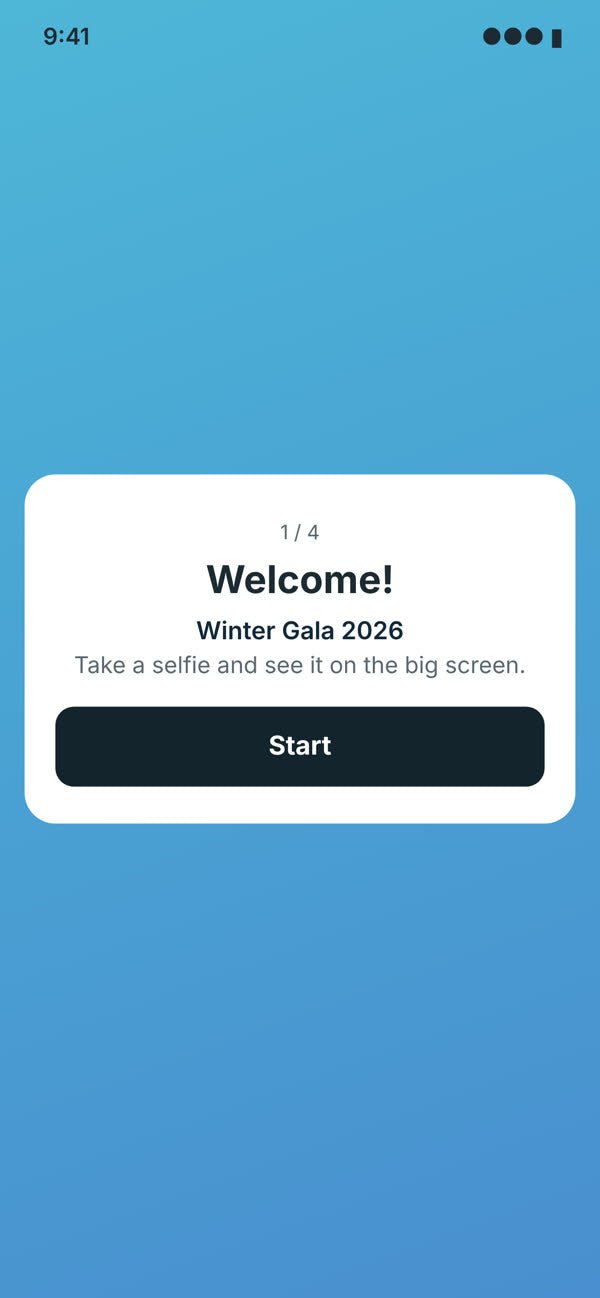
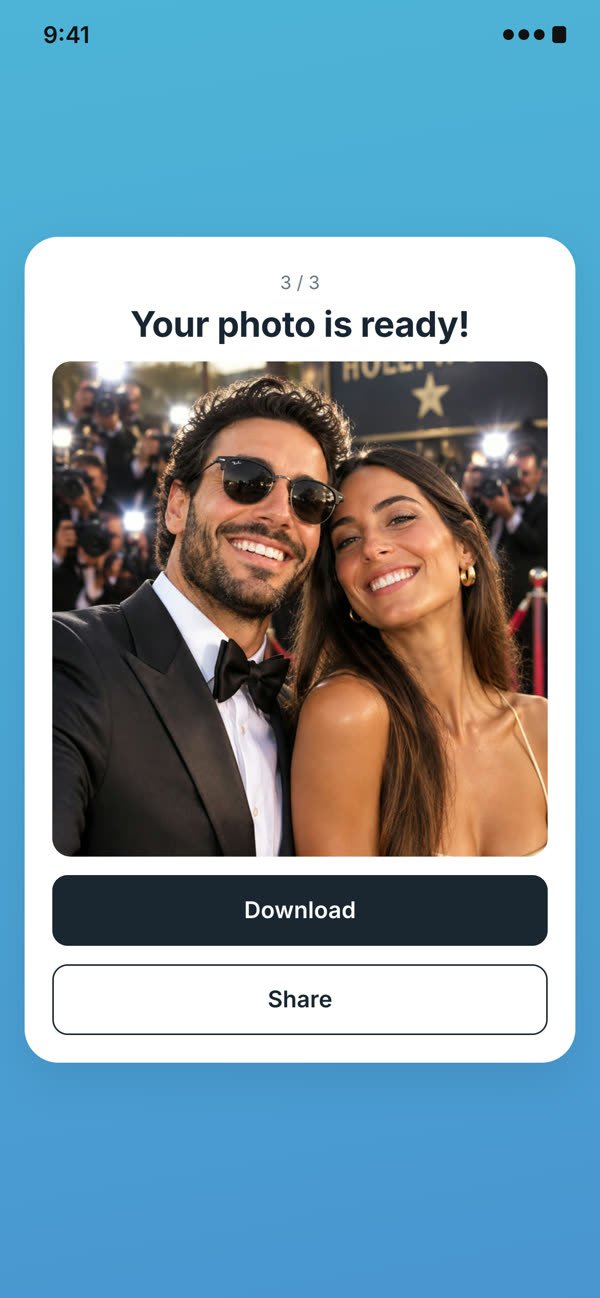
You build the flow screen by screen. Here is one example.
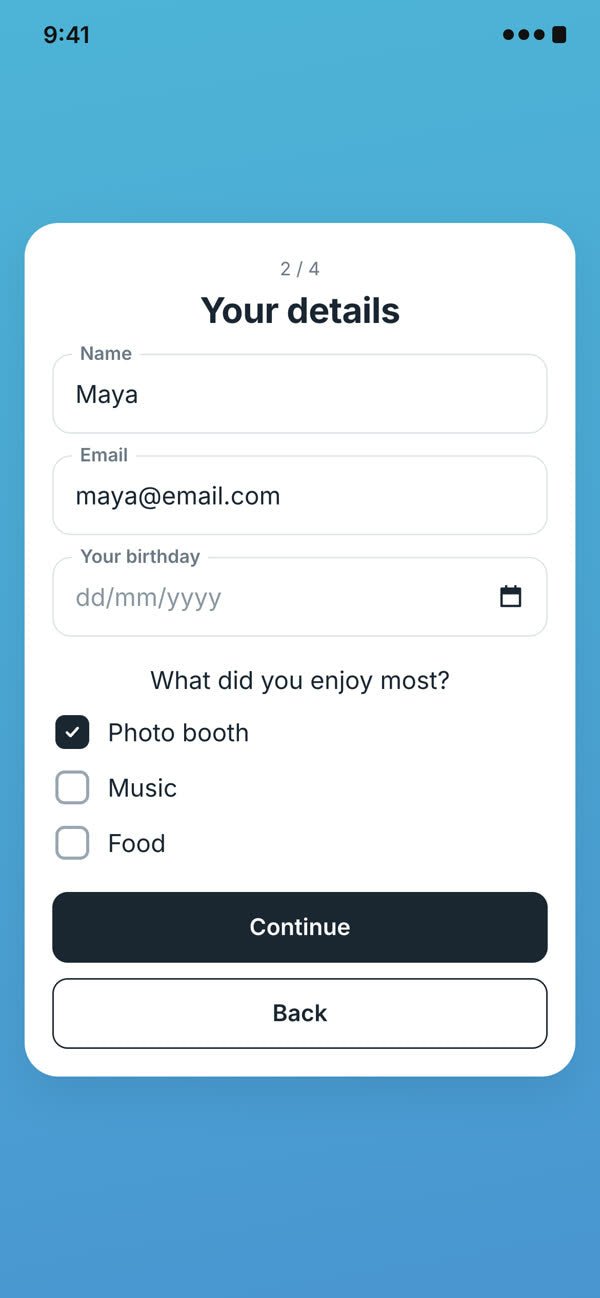
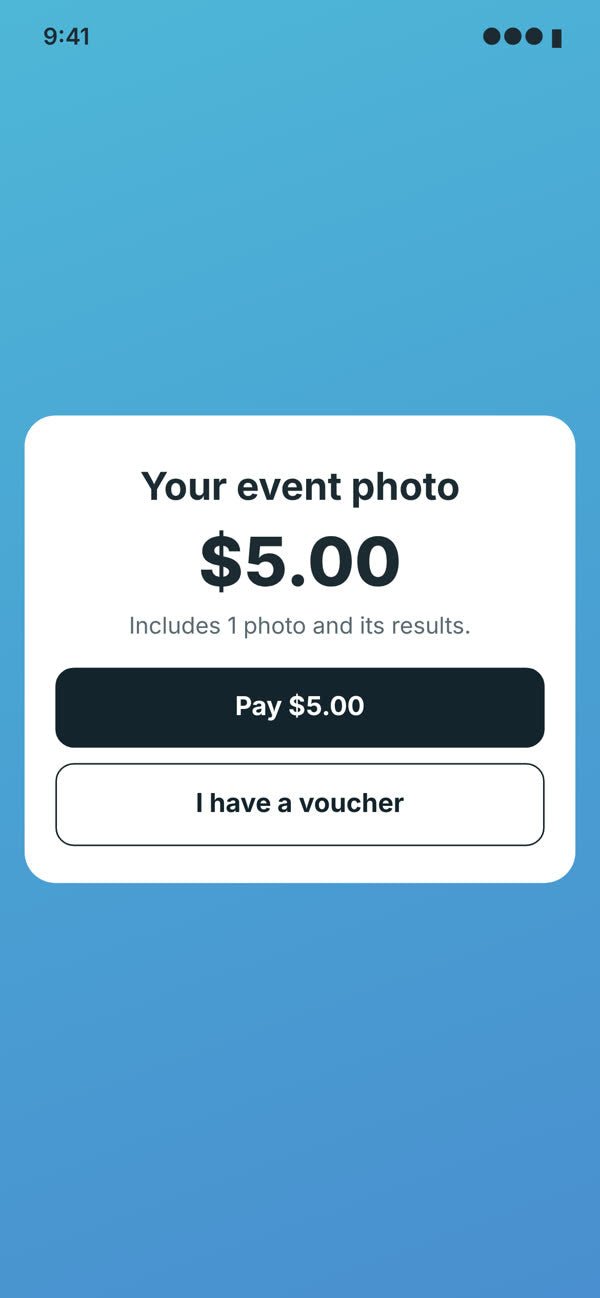
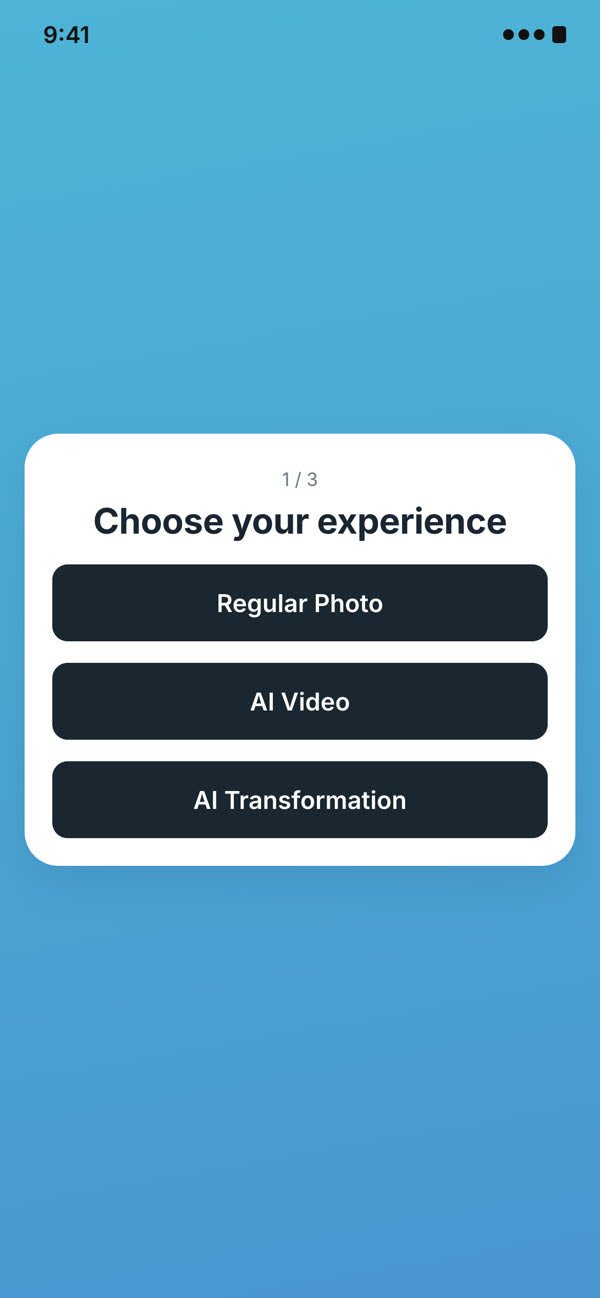
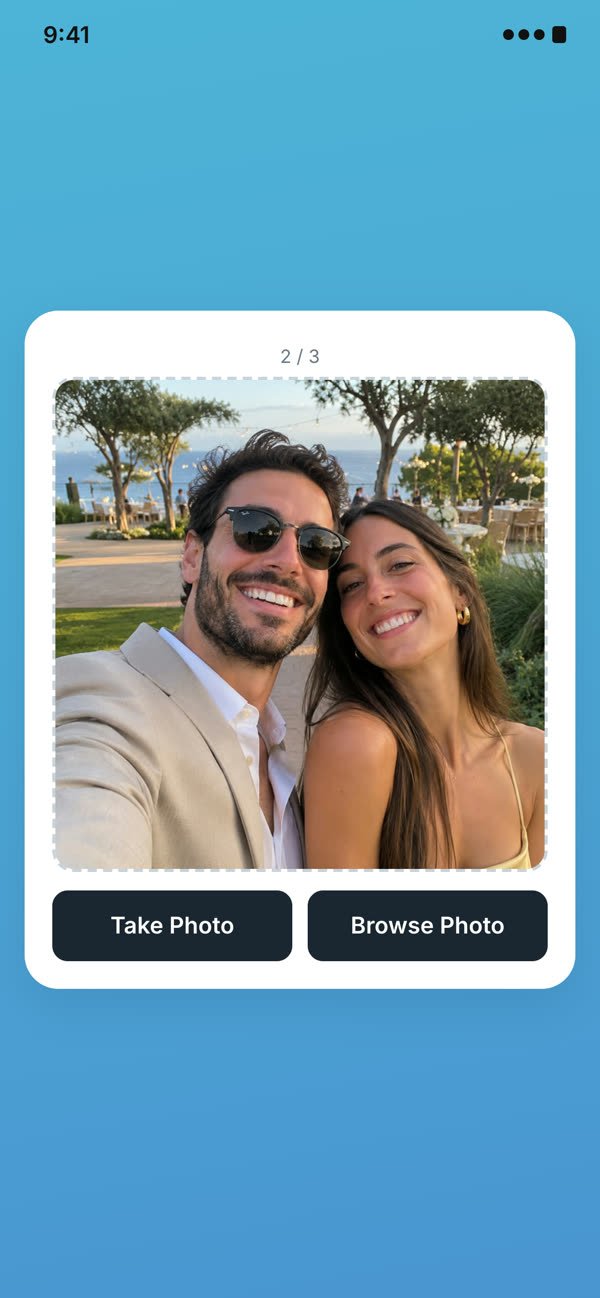
-
01 · Welcome
Greet Every Guest
Your event name and branding, the moment they scan.
-
02 · Sign Up
Collect Leads and Answers
Names, emails and quick survey questions, saved with the event.
-
03 · PaymentCloud Pro
Sell Every Photo
Guests pay on their own phone through Stripe or Shopify, or enter a voucher code. Payments go straight to your account.
-
04 · Experience
Let Guests Pick the Magic
A regular photo, an AI video or an AI transformation. You name each option.
-
05 · Selfie
Snap Right from Their Phone
Take a photo on the spot, or pick one from their gallery.
-
06 · Result
Their Photo Is Ready
Guests download and share it, and it shows up on the big screen.
Every screen is optional. Start from a ready-made flow, or build your own.
The Big Screen
Every Photo, Live on the Big Screen
Guest photos and AI results appear in a live slideshow the moment they're taken, so the whole room joins in.


- Live SlideshowCustom transitions, colors and loading screen.
- Instant PrintsSend favorites straight to a connected printer.
- Online GalleryEvery photo in one shareable event gallery.
Why Selfie Wi-Fi
An Easy Win for Every Event
A light, low-cost way to add an interactive photo experience, using equipment you already own.
New Revenue
Sell photos and AI experiences right on guests' phones.
No Line, No Staff
Everyone joins at once, and the experience runs itself.
Your Own Equipment
Runs on your Windows computer, screen and printer.
Leads for Your Clients
Hand over contacts, consents and survey answers after the event.
AI Transformations
Endless AI Possibilities
Plenty of AI transformations to choose from, and guests can even type their own prompt. The possibilities are endless.
-


Original Branded Content
Put your client's logo, product or merch into every photo.
-

“Astronauts in space”

Original Guest Prompts
Guests type their own idea, and AI brings it to life.
-


Original Any Style
From paintings and puppets to superheroes and royalty.
-
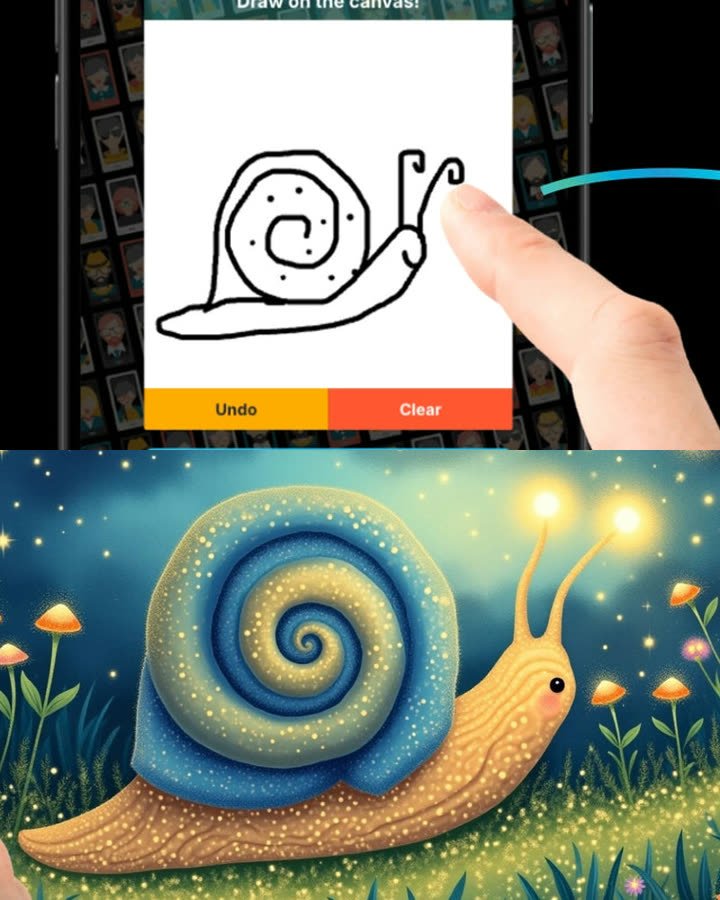
Line 2 Life
Guests sketch a quick drawing, and AI turns it into a work of art.


And So Much More


Payments
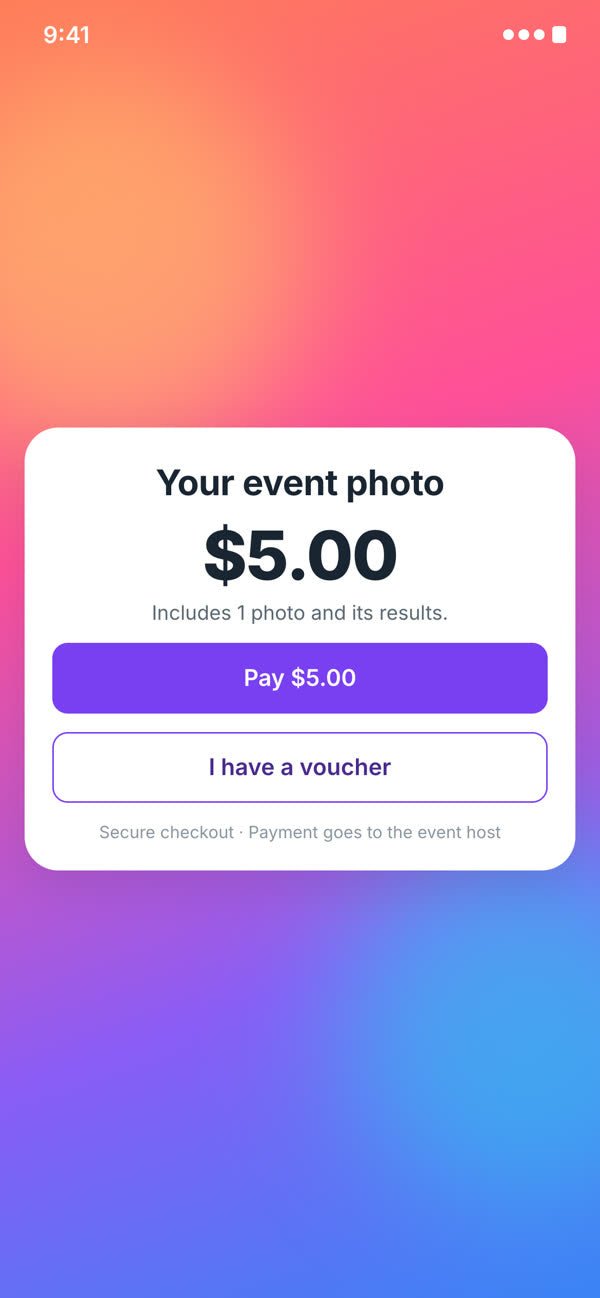
Get Paid on Every Photo
Guests pay right on their phone before they take their photo, and the money goes to your account.
- Stripe or ShopifyConnect the account you already use.
- No Card ReaderGuests pay from their own phone.
- Vouchers for VIPsFree codes for sponsors and promos.
Cloud ProPayments are part of the Cloud Pro plan.


Data and Insights
Every Answer, Ready for Your Client
Every sign-up, survey answer and consent is saved with the event in Foto Master Cloud. Watch it come in during the event, then hand it over.
- See It in the CloudLeads and survey results in the event's dashboard.
- Export EverythingOne-click CSV for any CRM or client report.
- Consent on RecordWhat each guest agreed to is saved. Delete data anytime.
| Guest | Answer | Consent | |
|---|---|---|---|
| Maya | m•••@email.com | Photo booth | Given |
| Daniel | d•••@email.com | Music | Given |
| Noa | n•••@email.com | Photo booth | Not given |
Customization
Make It Yours
Brand every screen guests see, from the landing page to the big screen.

Photo Overlays
Frames and graphics, in portrait or landscape.
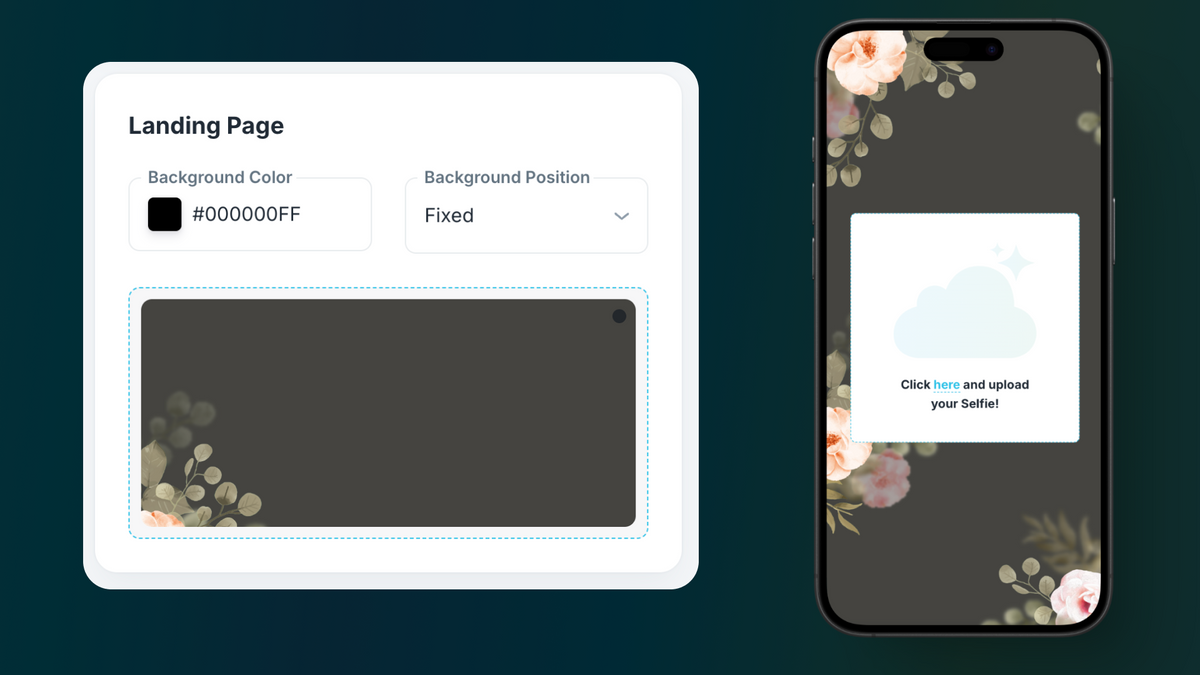
Landing Page
Your colors, or a background photo.
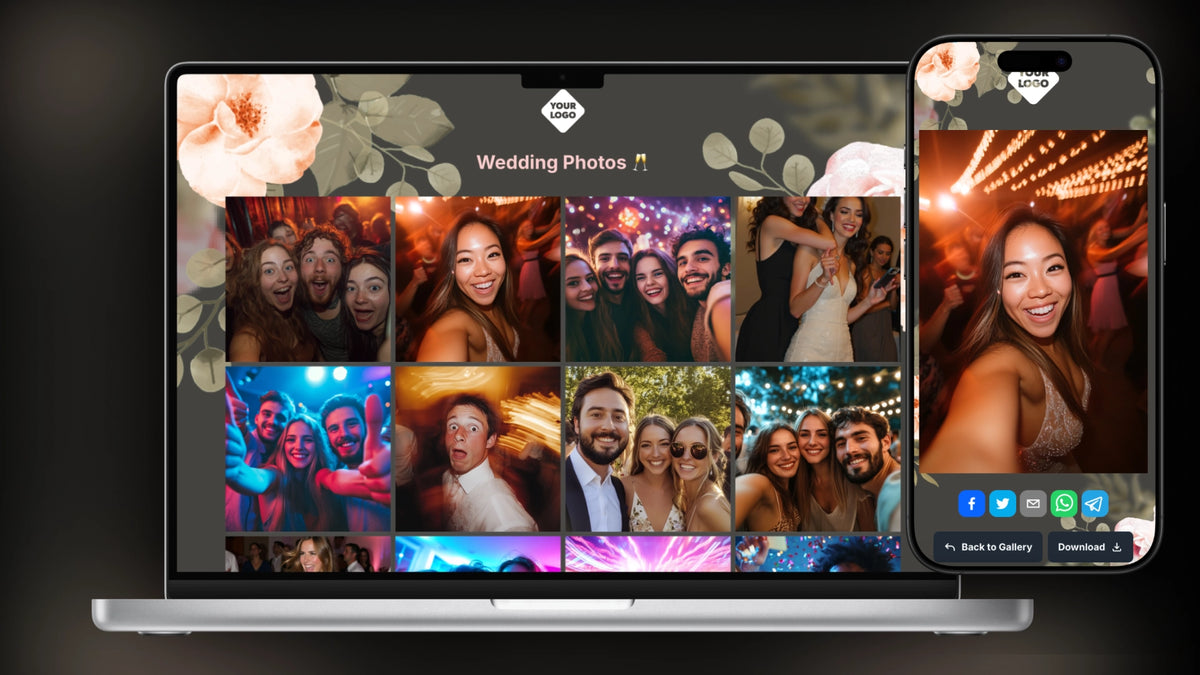
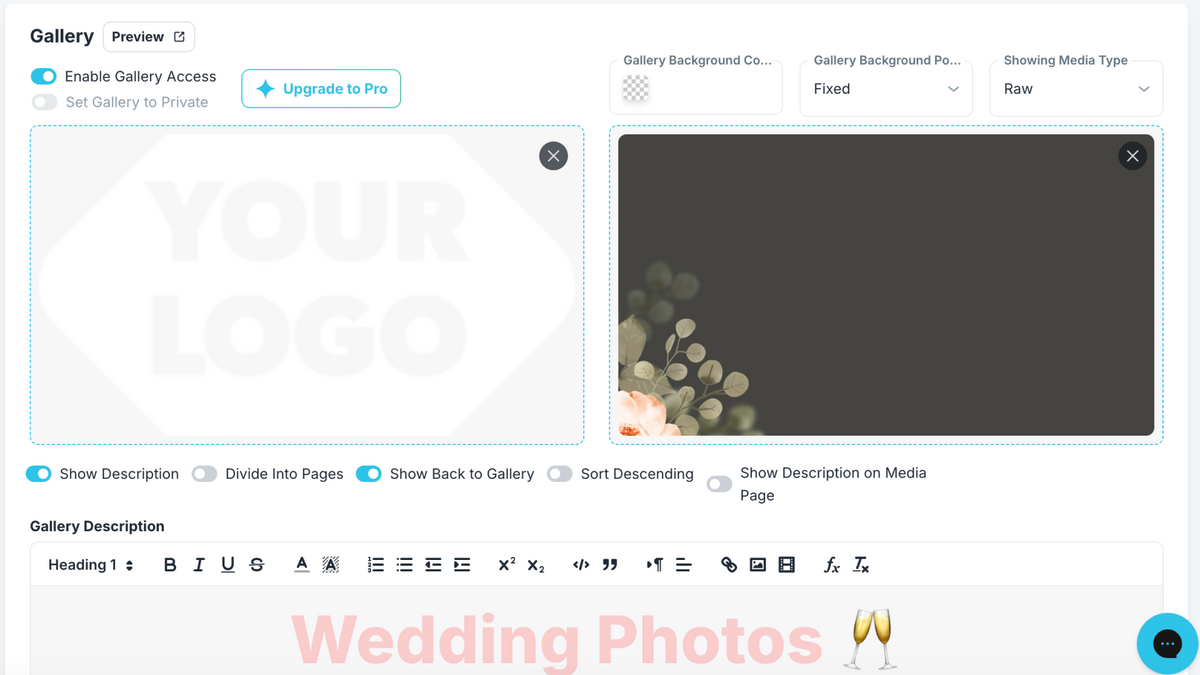
Online Gallery
Your logo, background and sharing options.

Slideshow
Transitions, colors and a loading screen.
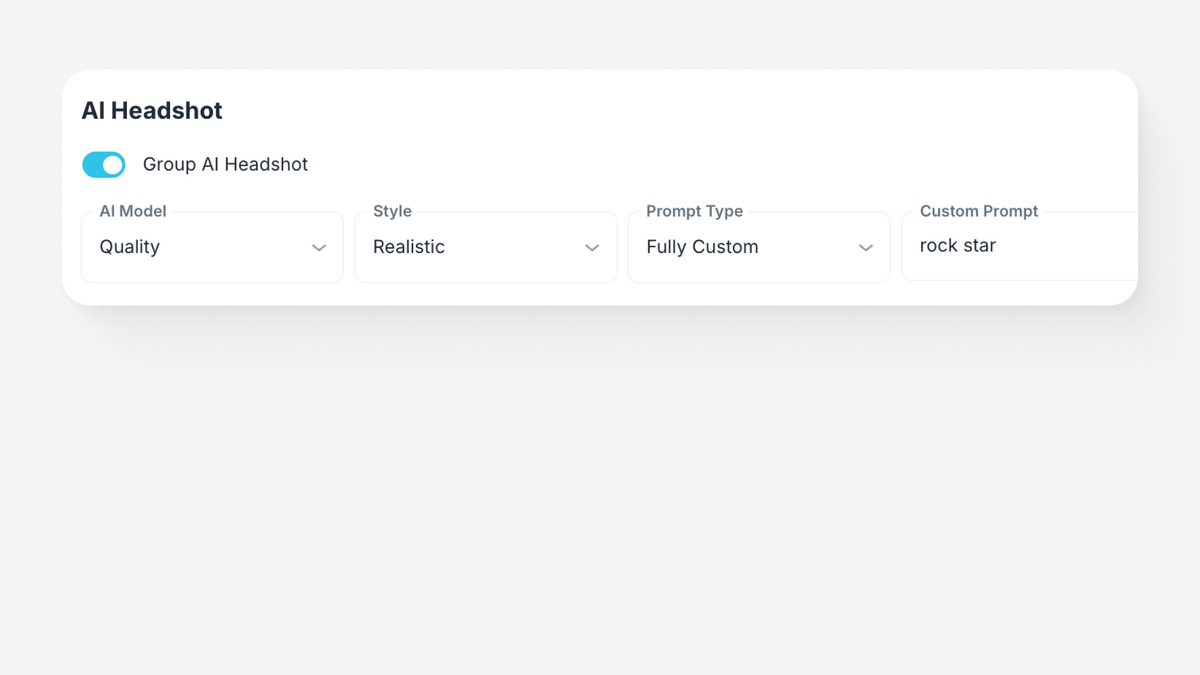
AI Settings
Choose the styles, scenes, themes and prompt types.
White LabelingCloud Pro
Run everything on your own domain.


Control and Privacy
Stay in Control of Every Event
Event Controls
Protect the guest link, set opening hours, cap photos and set a daily AI budget.
Guest Consent
Guests accept your terms and choose whether their photo can appear on the big screen.
Moderation
Approve what appears on the big screen and what gets printed, in real time.
See Selfie Wi-Fi in Action
Real events, real guests, every photo on the big screen.


Who It's For
Made for Every Kind of Event
-

Weddings and Galas
-

Product Launches
-

Brand Activations
-

Malls and Retail
-

Family Entertainment Centers


Success Stories
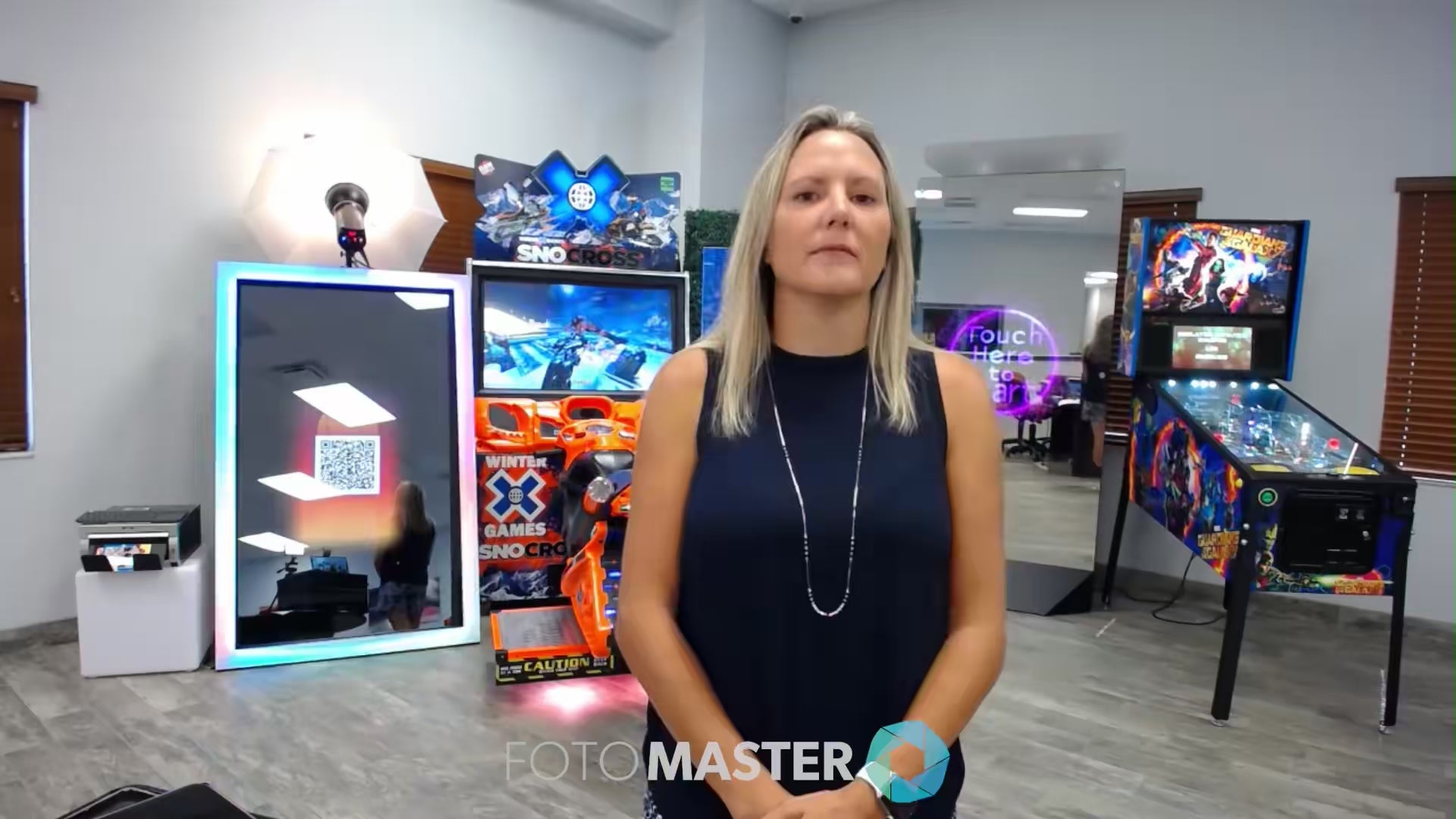


Your Business, Managed from Anywhere.
Foto Master Cloud lets you manage your entire operation remotely, from any browser.
Event Management
Manage event settings, connected booths, media, branding, and presets.
Presets & Experiences
Load or create complete presets with workflows and layouts.
Asset Library
Store, organize, and reuse overlays, animations, layouts, and media.
Licenses & Devices
Manage all software licenses in one place and scale your fleet with ease.
Live Analytics
Track sessions, shares, media, surveys, and AI credit usage in real time.


FAQ
Got questions? We’ve got answers.
Find out everything you need to know about Selfie Wifi for Windows.
What can I control in the guest experience?
You choose every screen guests see: a welcome, terms, a sign-up form, payment, a choice of AI experiences and a thank-you message. For each event you can also set opening hours, cap the number of photos and set a daily AI budget.
Can guests pay for their photos?
Yes. Add a Payment screen and guests pay through Stripe or Shopify on their own phone before they take their photo. Payments go directly to your connected account. You can also create voucher codes for VIPs, sponsors or promos. Payments are available on the Cloud Pro plan.
How much does Selfie Wi-Fi cost after the first year?
The Selfie Wi-Fi license is $29/month per device, billed annually. A Foto Master Cloud account is required to run it, starting at $39/month, billed annually. One Cloud account covers all your licenses.
What kind of AI experiences can guests try?
Plenty, from AI headshots, cartoons and face swaps to branded content and image-to-video, and guests can type their own prompt in the experiences that support it. Add a Choose experience screen to let guests pick one.
Can I collect guest details and survey answers?
Yes. A Collection form asks for contact details, custom questions, ratings and consents. Every answer is saved with the event in the Survey Analytics Dashboard, and you can export it as CSV.
Do I need an internet connection to use Selfie Wifi?
Yes, an internet connection is required. Selfie Wifi works through Foto Master Cloud, and the computer running the software needs internet access to fetch and display the uploaded photos in real time.
What is the Foto Master Cloud Platform?
Foto Master Cloud is Foto Master's online platform that enhances all Foto Master's software and services with advanced AI capabilities, along with other online features such as online galleries, QR code sharing, email templates, SMS, white labeling, and more. Foto Master Cloud Platform plans start at $39 per month per company. This fee is for the entire company, not per device, so all your devices can connect to one Foto Master Cloud and work with it.
How much does 24/7 support cost after the first year?
24/7 Support renewal is optional and costs $27/month, billed annually.
Can I customize the experience for my event?
Absolutely! Through Foto Master Cloud, you can customize everything — the landing page design, photo overlays, slideshow transitions, and even background images. You can also choose to enable or disable the slideshow and printing features independently.
What kind of equipment do I need to use Selfie Wifi?
You’ll need a computer with an internet connection, a screen (like a TV, monitor, or projector) to display the slideshow, and an optional printer if you want to offer instant photo prints. Selfie Wifi is compatible with most display devices and printers, making it easy to set up anywhere.
Do I need a Foto Master Cloud account to use Selfie Wifi for Windows?
Yes, a Foto Master Cloud account is required. All settings, customizations, and moderation features are managed through the Cloud, ensuring a seamless and flexible experience for every event.
Is the software hard to learn?
Selfie Wifi is intuitive and easy to use. If you add 24/7 support, it includes a 1-hour online training session to help you get started.
Can I moderate the photos before they appear on the slideshow or print?
Yes! Selfie Wifi includes a moderation feature that lets you approve or reject photos in real time directly through the Cloud platform. This ensures only the best and most appropriate images make it to the screen and printer.
Once I place my order, what's next?
You'll receive access to Foto Master Cloud, where you can download and activate your software. If your order includes 24/7 support, you can also schedule a training session with our support team.
Explore Other Software