Iris Photography: A New FMX Experience to Offer Your Clients
Iris photography is a new experience you can offer with FMX.
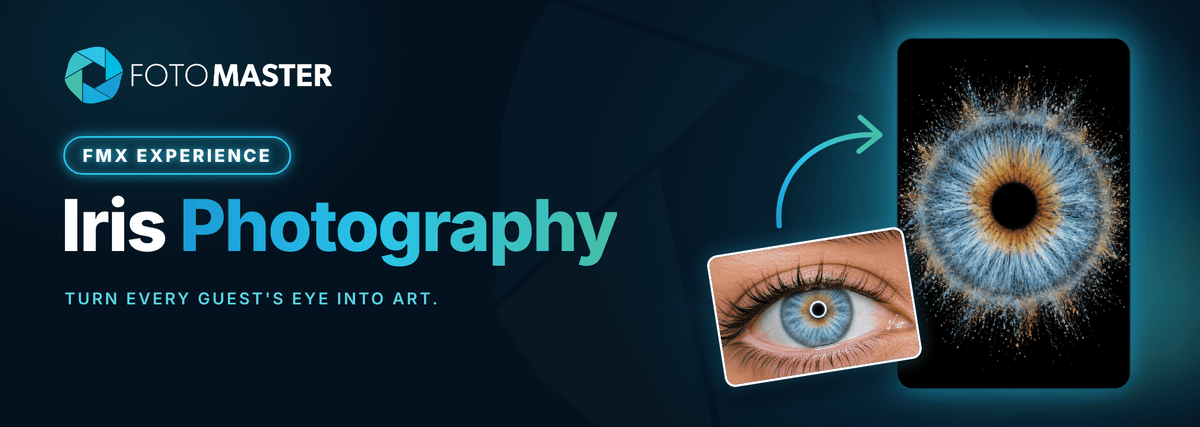
Guests get a close-up of their own eye, turned into a piece of art. It's a new station you can start pitching to clients.

The experience
👁️ No two irises look the same.
Iris photography captures a guest's eye in macro detail: the colors, rings and fibers that make it theirs alone. Most people have never seen their own eye this close, so the reveal is a real moment at the station.
The guest rests their chin, you take one shot, and FMX sends it to AI Modify. Moments later they get a print or a digital copy of their iris as art.

Powered by AI Modify
✨ The guest's real iris stays the base.
AI Modify works on the photo taken at the booth and applies changes on top of it, guided by your prompt. That matters here: guests want to see their own eye, not an AI guess. The prompt keeps the iris colors and pattern and builds the look around them.
It also handles the hardest part of iris photography. Professional iris studios use special lighting and blend several shots to get rid of the light reflections on the eye. Here, AI Modify removes the reflections and sharpens the detail, so every iris comes out clear while still looking like the guest's real eye.
Add a Selection screen with four looks, each feeding its own prompt, so every guest picks their style. Or set one look for the whole event.


The gear
🔦 Set up a simple station.
Run FMX with your camera and add a few pieces of gear. Test what works best for your business. Here's what we used in our office test:
- Your camera, zoomed inGet as close to the eye as you can. A macro lens gives the most detail
- A small LED lightNot pointed at the eye, so it stays comfortable for the guest
- Chin and head restKeeps the guest still so the eye stays in focus
- Disposable chin rest paperA fresh sheet for every guest
 A compact station that fits next to any booth.
Set it up
⚙️ Try our preset today.
The Iris Photography preset for FMX for iPad is ready in the Presets library in Foto Master Cloud. It comes with a selection screen of four styles, and a video transformation of the iris art that guests get digitally. Select it, sync it to FMX, and press Play.
Prefer to build your own? Here's how:
- Add an AI Modify stepIn your event's workflow in the Workflow Builder
- Add a Selection screenEach look feeds its own prompt
- Brand the printAdd your client's logo in the Layout Builder
- Test in AI PlaygroundTry every prompt on real eye photos
- Select, Sync, PlayRun it in FMX
AI Modify and the video transformation use Foto Master Cloud credits for each generation, based on your Cloud plan.
Who it's for
🎯 Events where a personal touch counts.
Pitch it
💡 More ways to sell it.