Meet the New PMWall: Rebuilt Cloud-Powered Photo Mosaic Wall Software
Our Photo Mosaic Wall software has been rebuilt around Foto Master Cloud. 🧩
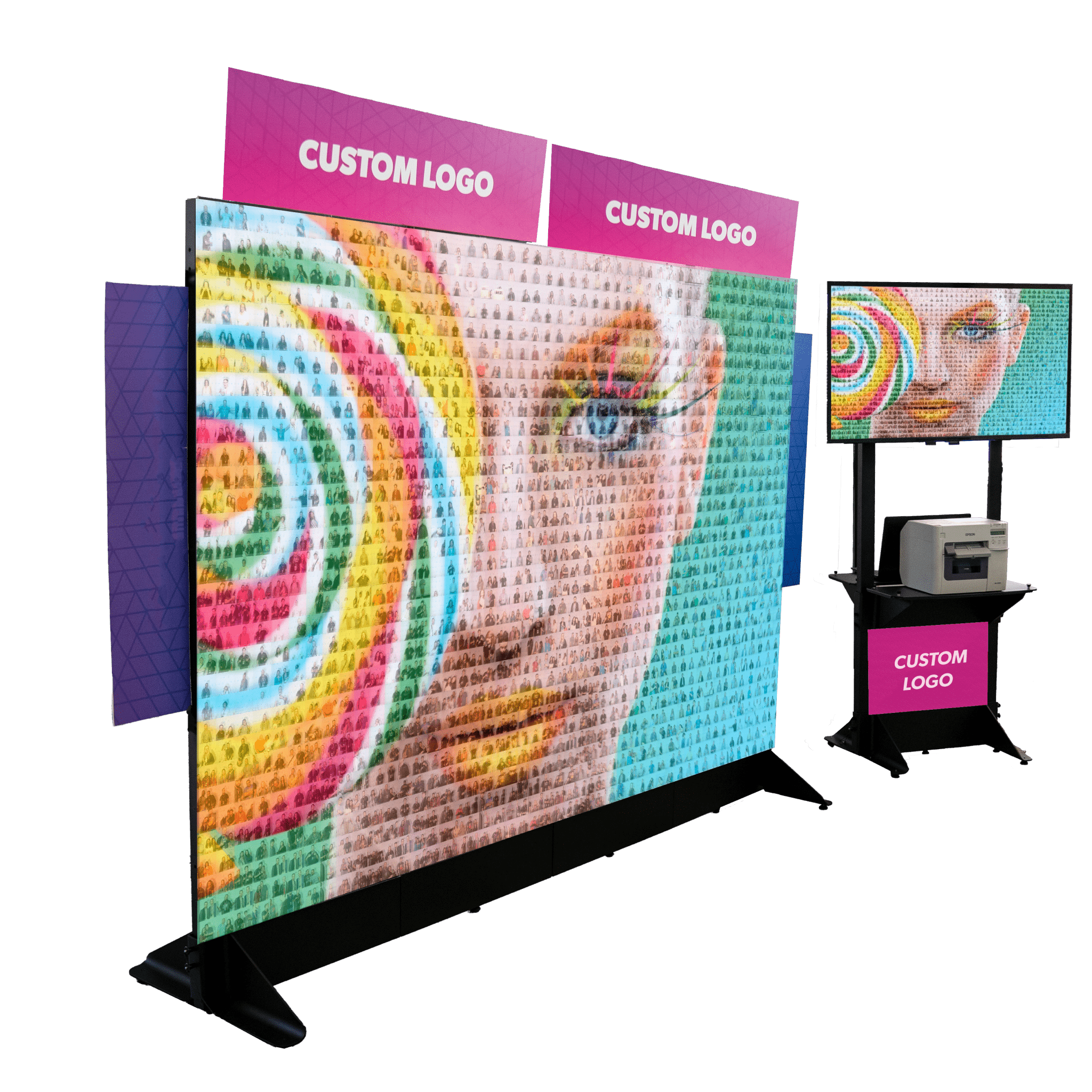
The experience guests love is still there: individual photos coming together, tile by tile, to build one giant image.

The new PMWall gives you more control before the event, more visibility while the wall is building, and new ways to keep the experience going beyond the physical mosaic.
Here’s what’s new. 👇
☁️Prepare Your Mosaic Before the Event in Foto Master Cloud
PMWall events now start in Foto Master Cloud.
This is where you choose your main image and grid, configure matching and blending, prepare your print settings, and set how the mosaic should behave.
When you get to the event, PMWall pulls that setup down to the event computer.
Create, Sync, Run: Complete Mosaic Event Workflow
Create: Prepare your mosaic event in Foto Master Cloud.

Sync: Open PMWall and sync the event settings to your Windows computer.
Run: Start the mosaic and let incoming guest photos build the wall live.
You can prepare the activation ahead of time, reuse templates for future events, and sync the same event to another PMWall computer when needed.
Generate a Print-Ready Board PDF with Numbered Grids
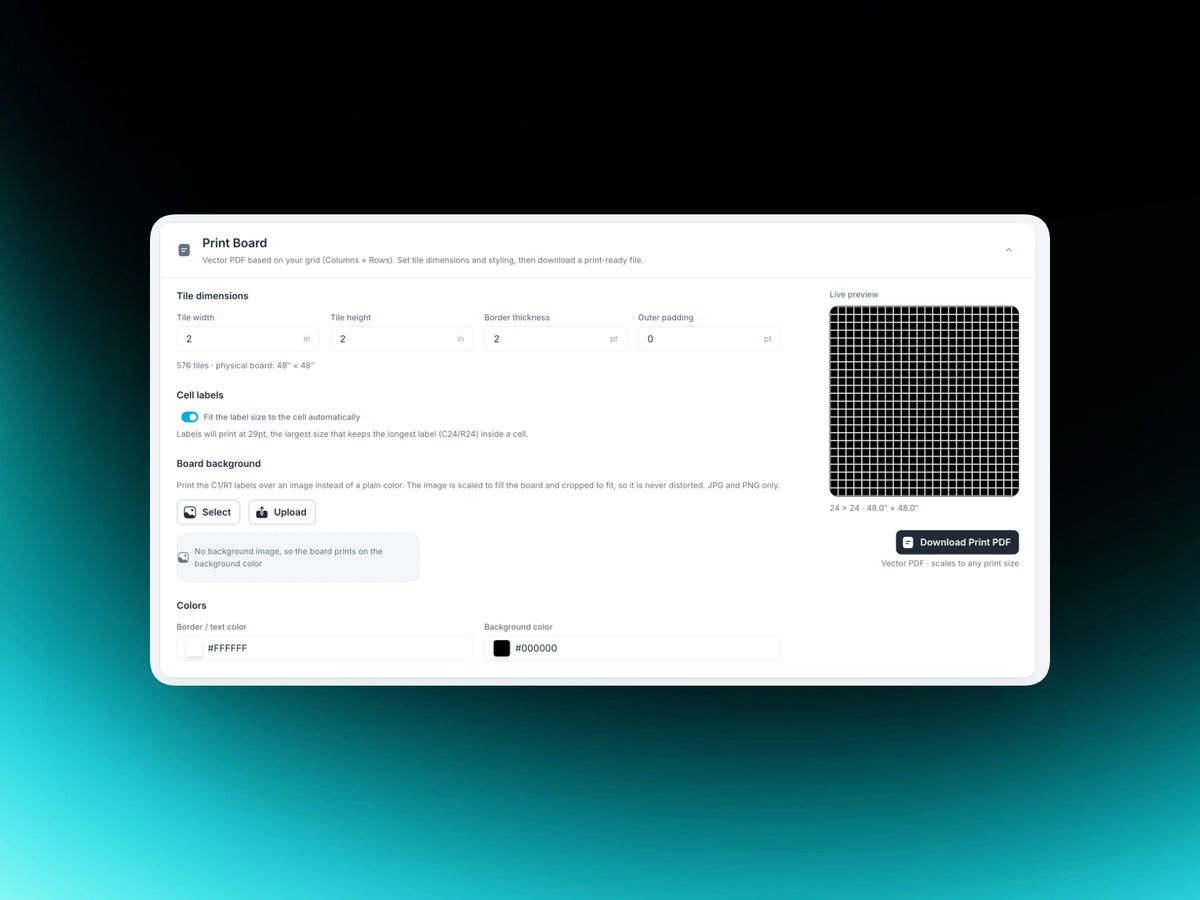
Foto Master Cloud generates a print-ready Board PDF using the same grid as your PMWall event, with every cell labeled and sized for the mosaic.
Send it to your print house and get a board that matches the event you’ve prepared.
Plan the Job Before You Quote It with the Event Simulator
The built-in Event Simulator calculates cost, print time, physical wall size, and how much printer media your mosaic needs based on the grid you create.
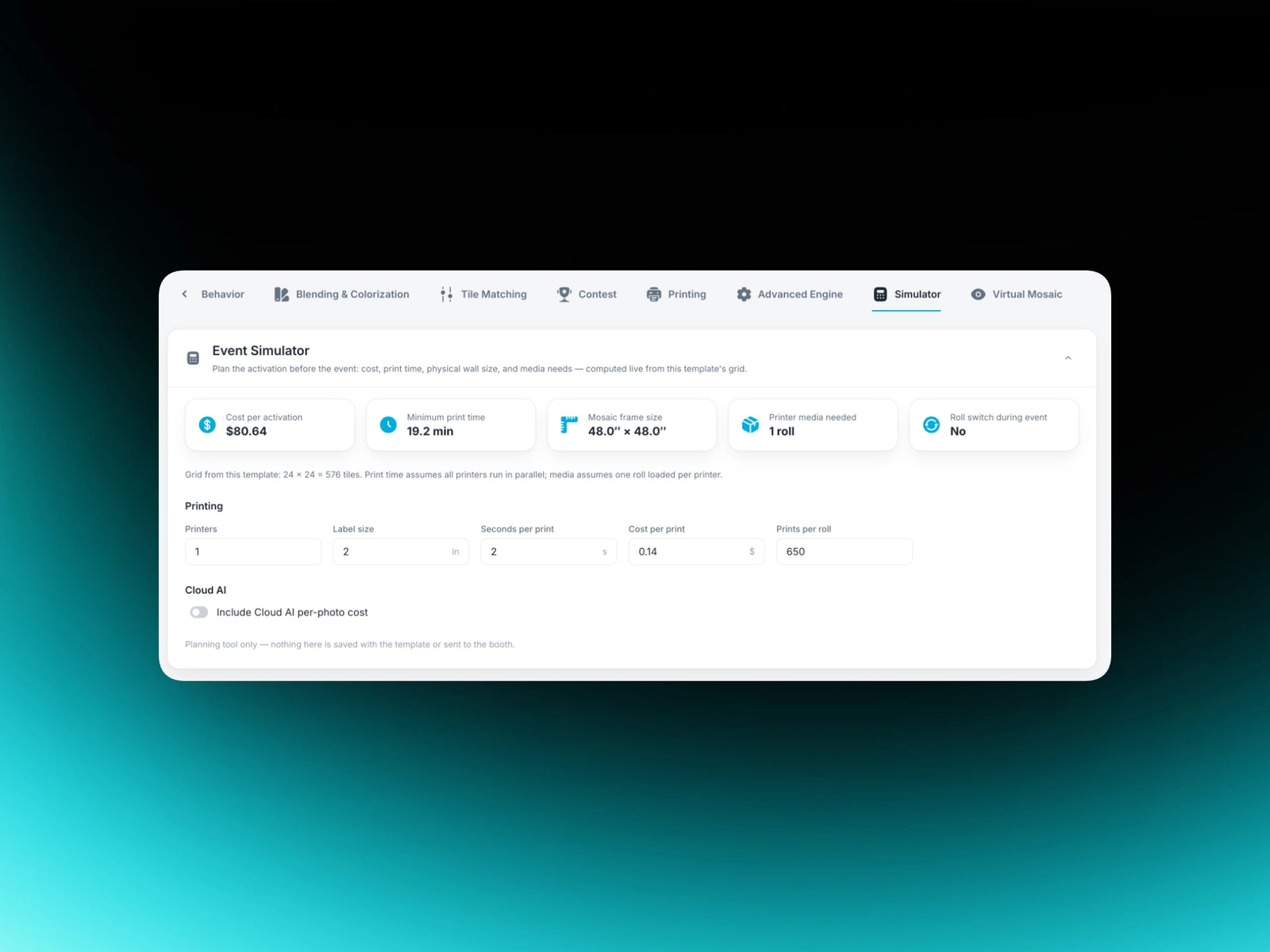
That makes it easier to plan the activation before you quote the job or order the board.
📸 One Event Gallery, Multiple Ways to Capture Photos
The old Photo Mosaic Agent is no longer part of the workflow.
Your mosaic is now connected to a Foto Master Cloud event, and every photo that reaches that event gallery goes to PMWall automatically.
So you can run several Foto Master experiences at the same event and feed them all into one wall: FMX for Windows, FMX for iPad, Selfie Wi-Fi, AI Hot Folder, in any combination. You can also load photos directly onto the event computer.
There's no local connection to set up between your capture stations and the PMWall computer, and nothing to install on the booth.
🧠 Build a Better-Looking Mosaic with Advanced Placement Engine
Every guest photo has two jobs. It needs to help build the larger image, while still looking like the guest’s photo up close.
The new PMWall gives you more control over that balance.
Intelligent tile matching analyzes color, detail, faces, and existing placements to find a strong position for each incoming photo, while helping prevent duplicate photos from appearing next to each other.

Make Every Photo Count: Best Effort vs. Guaranteed Visible
Different events need different approaches to participation.
Best Effort focuses on finding the strongest available position for each photo.
Guaranteed Visible makes sure every accepted guest photo gets a place in the mosaic, so participants don’t miss their moment on the wall.
More Control Over the Final Look: 4-Zone Blending & Smart Cropping
New four-zone blending lets you control the background, object, skin, and face areas separately.
This helps preserve important details like faces while allowing other parts of the photo to blend more strongly into the main image.
Smart Cropping detects faces and important content to find a better crop for each tile. Center and Safe crop modes are also available when you want a different approach.
You can also fine-tune placement with controls like Scatter and Mirrored Tiles.
The result is a main image that reads clearly from across the room, with individual guest photos waiting to be discovered up close.
🖨️Build the Physical Photo Mosaic Wall, Tile by Tile
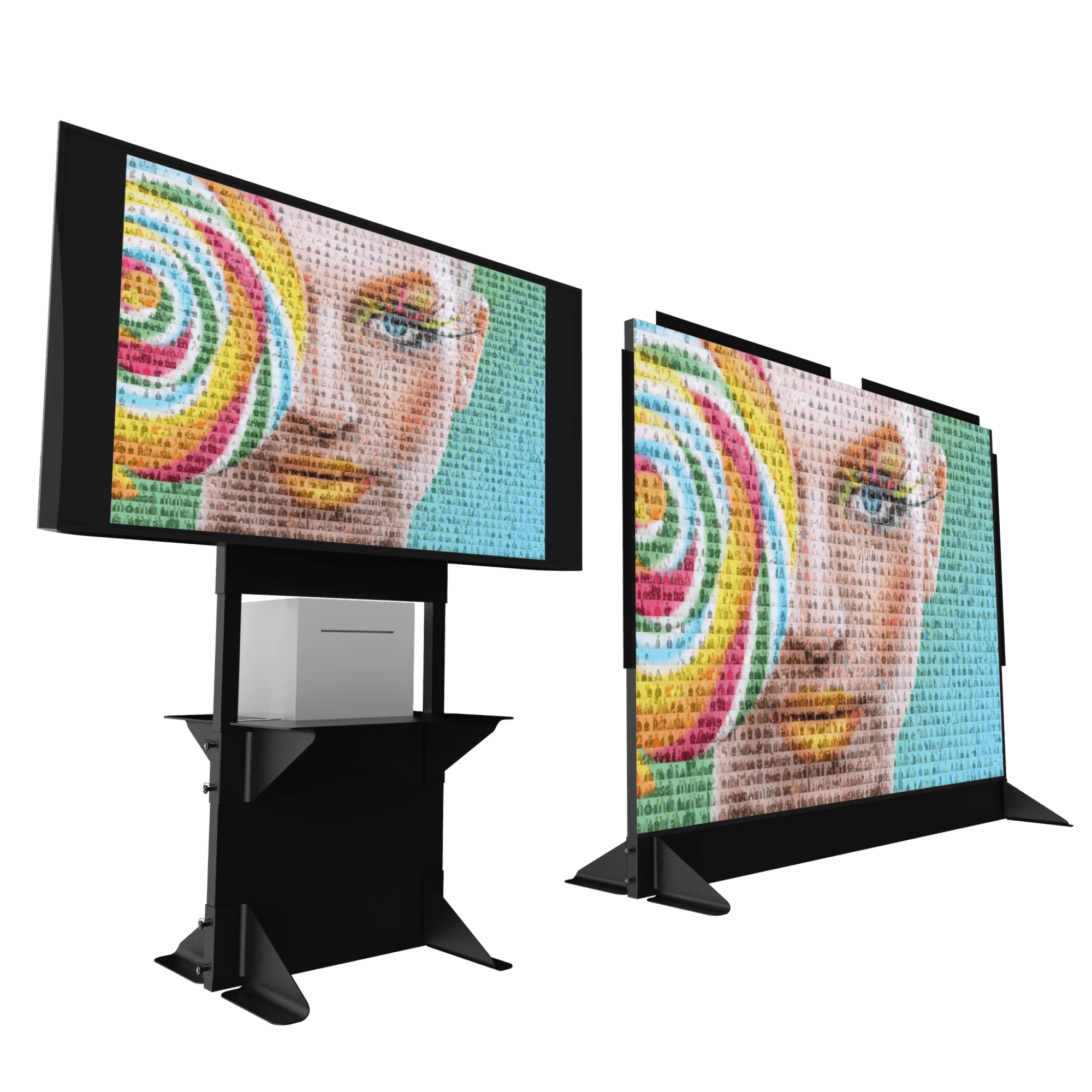
The physical mosaic is still at the heart of the experience.
As photos are placed into the mosaic, PMWall can print each tile with its exact column and row position.
Guests or staff can find that position on the board, place the tile, and watch the main image gradually appear as more people take part.
A company logo. A couple’s portrait. A campaign visual. Custom artwork. 🖼️
And because the wall develops throughout the event, guests can come back and see how much has changed since they added their tile.

🖨️ PMWall supports Windows Driver, FMPrint, and Hot Folder printing, giving you flexibility to use the printing workflow that fits your event setup.
Deliver the Finished Mosaic: High-Resolution Master Export
Once every cell is filled, PMWall can stitch the completed wall into a single high-resolution master image.
Your client gets:
✅ The live experience at the event
✅ The mosaic board they can keep or frame
✅ A high-res finished mosaic file they can print, display, or share afterward
✅ All the raw event photos
🌐 Meet the New Virtual Mosaic: Interactive Online & Remote Activations
The new Virtual Mosaic turns your event mosaic into a live, interactive online experience.
Open it in a browser and display it on any monitor or screen, with no PMWall software required on the display device. As photos arrive, guests can watch them become part of the larger image in real time.

And participation doesn’t have to stop with the people standing at the event.
Let Anyone Contribute to the Virtual Mosaic, From Anywhere
Enable contributions and guests can upload a photo directly from their own phone or browser.
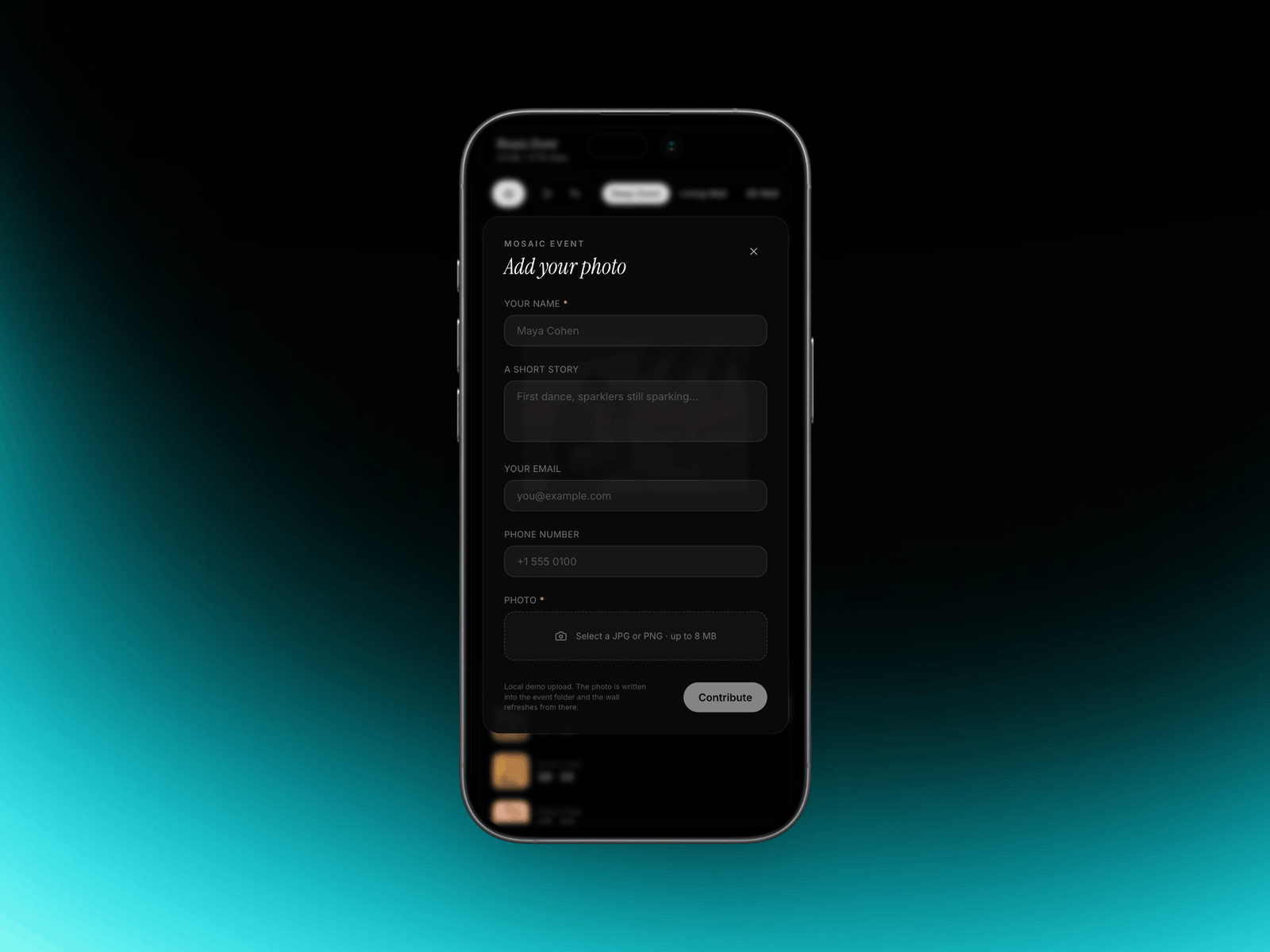
That means people can take part from across the room or from anywhere in the world, making Virtual Mosaic useful for hybrid events, remote teams, online communities, and activations with audiences in multiple locations.
You control the contribution form too. Collect a name and story with each photo, add disclaimers and consent options, or include a marketing opt-in when needed.
Turn Every Tile Into Part of the Story with Story Mode
Virtual Mosaic can be much more than a live display.
Enable Story Mode to add names, stories, or other text to selected contributions and give guests more to discover as they explore the wall.
You can also notify contributors when their photo has been placed, with a direct link that takes them back to their tile in the mosaic.
Make It Fit the Event: Interactive Display Modes
Customize the look, branding, controls, contribution settings, and guest experience for each activation.
Choose how the mosaic itself is presented:
Classic: Deep zoom from the complete mosaic down to individual photos.
Living Wall: A dynamic 2D experience where the wall stays active as photos arrive.
Curved Wall: An interactive 3D presentation of the mosaic.
Guests can explore, search for their tile, zoom in, and share their contribution, while the display continues building live.
Use Virtual Mosaic on a screen alongside your physical wall, create a fully digital mosaic experience, or open participation to guests who aren’t at the venue.
*Virtual Mosaic is a new optional account add-on.
👀Stay in Control While the Wall Builds with the Runtime Dashboard
A live mosaic can receive hundreds or thousands of photos, so knowing what is happening behind the scenes matters.
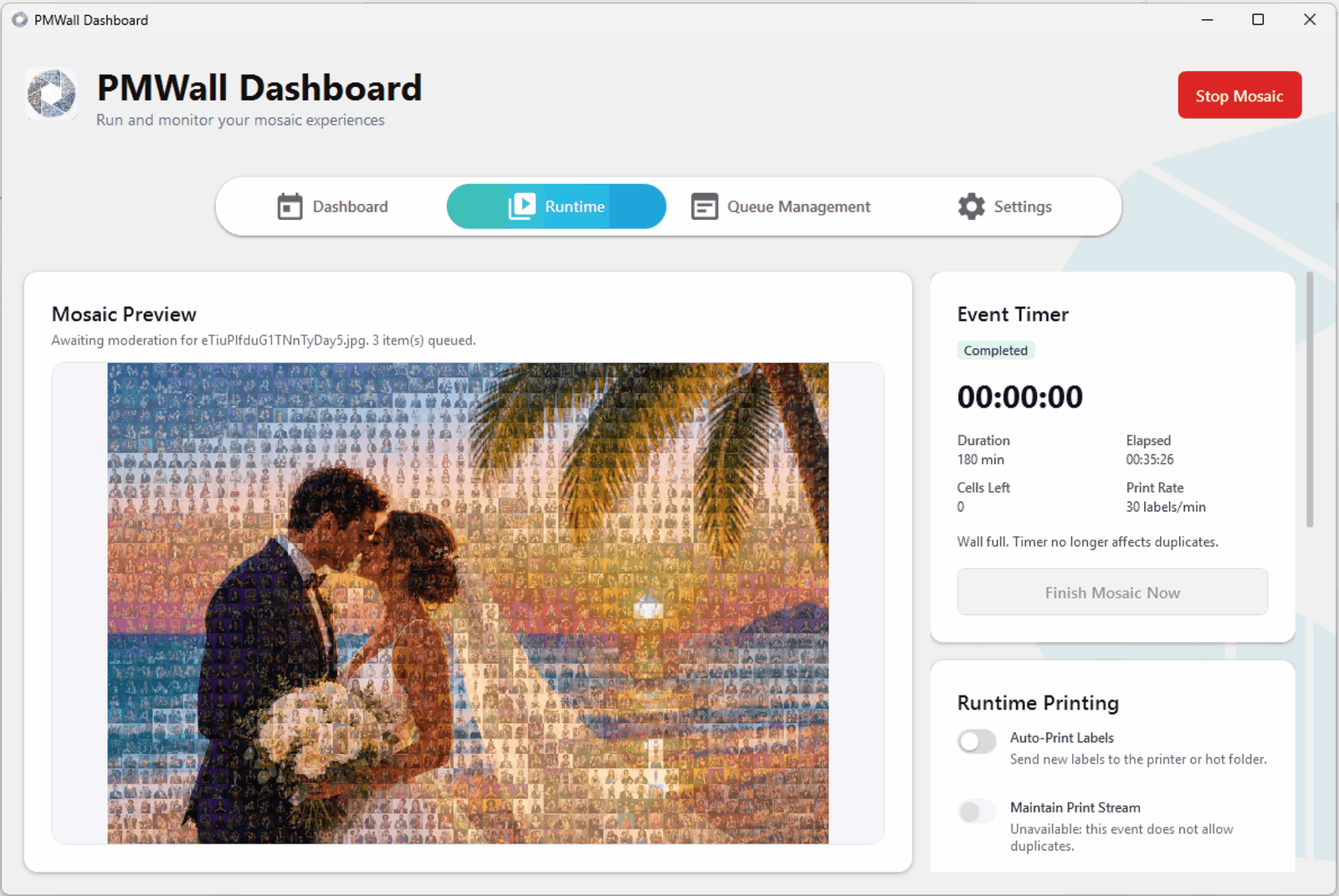
The new Runtime dashboard gives you a live view of mosaic progress, incoming media, printing activity, and other event data while the wall fills.
Review photos before they reach the wall
For events where you need more control over guest content, turn on moderation.
Incoming photos wait for review before they are placed, giving you the option to approve or reject them before they become part of the mosaic. You can switch moderation on or off in the middle of a live event.

Decide what happens when the wall fills
Every mosaic operator has had this moment: the board is full, and there is still a line.
Now you choose in advance. Freeze the finished wall, keep improving the match as better fitting photos arrive, or turn on Guaranteed Visible, which recycles background cells so late guests still get a tile and nobody is left off.
🏆 Add More Moments to the Experience
The new PMWall gives you more ways to keep guests involved while the mosaic is building.
Turn a Tile Into a Winner
With Winning Tiles, selected positions can trigger a winning moment when a guest’s photo lands there.
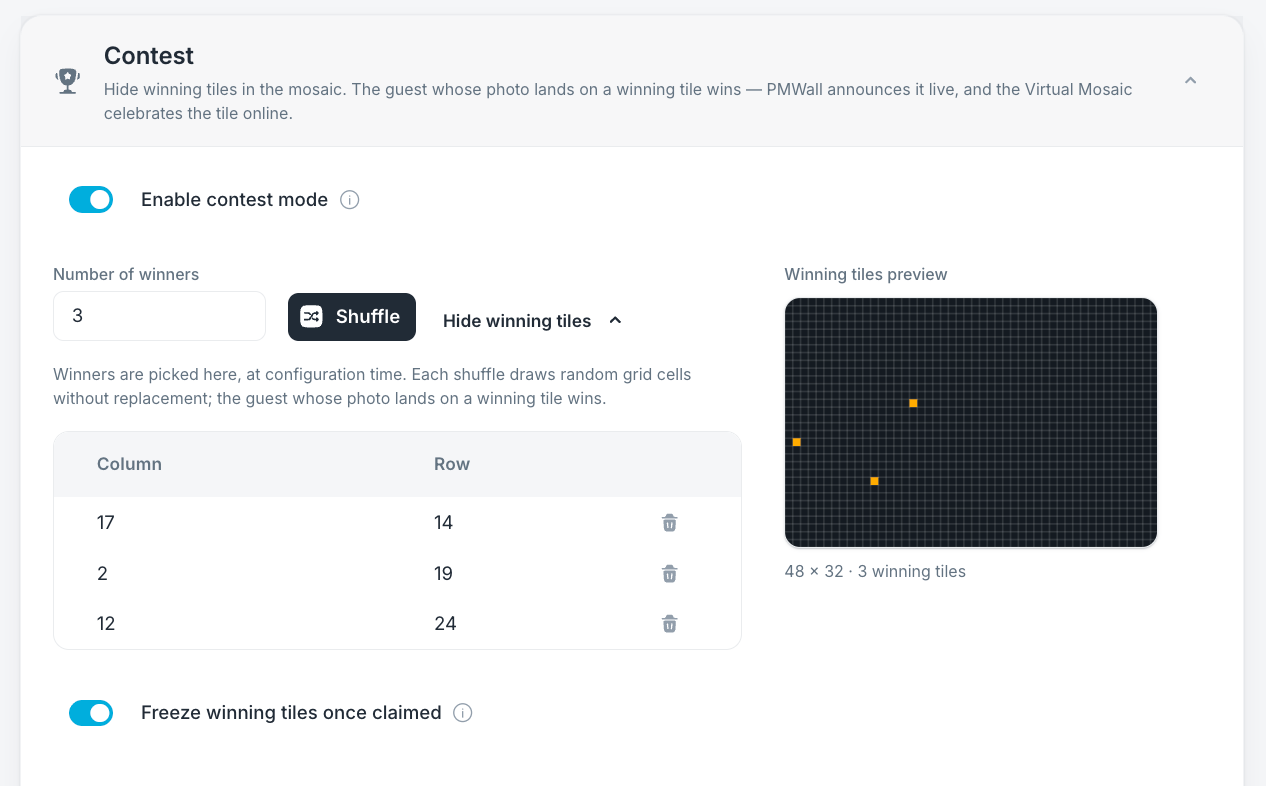

Use it for prizes, giveaways, sponsor activations, or simply another reason for guests to watch the mosaic as it builds.
🔑 New PMWall Licensing
The new PMWall is now subscription-based and requires an active Foto Master Cloud account.
Virtual Mosaic and 24/7 Support are available separately as optional add-ons.
Already own a Photo Mosaic Wall lifetime license?
You don’t need to purchase PMWall again.
Eligible lifetime license owners get access to the new PMWall with an active Foto Master Cloud subscription.
And moving to the new version comes with a few important benefits:
✅ Future PMWall upgrades are included. As long as your Cloud account is active, you’ll receive new PMWall versions and updates without separate upgrade fees.
✅ One Cloud subscription covers your entire company. You don’t need a separate Cloud subscription for every PMWall license.
✅ 24/7 Support now costs less. The optional support plan is $324/year per license, compared with $590/year under the legacy plan.
✅ You get the new PMWall workflow and features. That includes Cloud event setup and templates, the new placement engine, Guaranteed Visible participation, moderation, improved blending and cropping, the Runtime dashboard, high-resolution export, and access to the optional new Virtual Mosaic.
So you can move to the new PMWall without purchasing another software license, while gaining the new workflow, current features, and future PMWall upgrades.
Read the PMWall Migration Guide →
🚀 Get Started With the New PMWall
The new PMWall is available now.
Create your first template in Foto Master Cloud, sync it to your event computer, and run a test mosaic to see the new workflow in action.
We’ve also updated our Knowledge Base with step-by-step guides covering setup, Cloud templates, photo sources, printing, Virtual Mosaic, migration, troubleshooting, and more.
Explore the PMWall Knowledge Base →
New to Foto Master? Explore Photo Mosaic Wall and see how you can add the experience to your events.