Direct USB Printing Is Live in FMX for iPad: Print Straight to DNP Printers
Your iPad can now connect directly to a supported DNP printer and print straight from FMX, without a separate computer or print server in between.
Connect your printer through USB, and you're ready to print.
iPad → USB → printer. That's the setup.

🖨️ Connect Your DNP Printer Directly to Your iPad
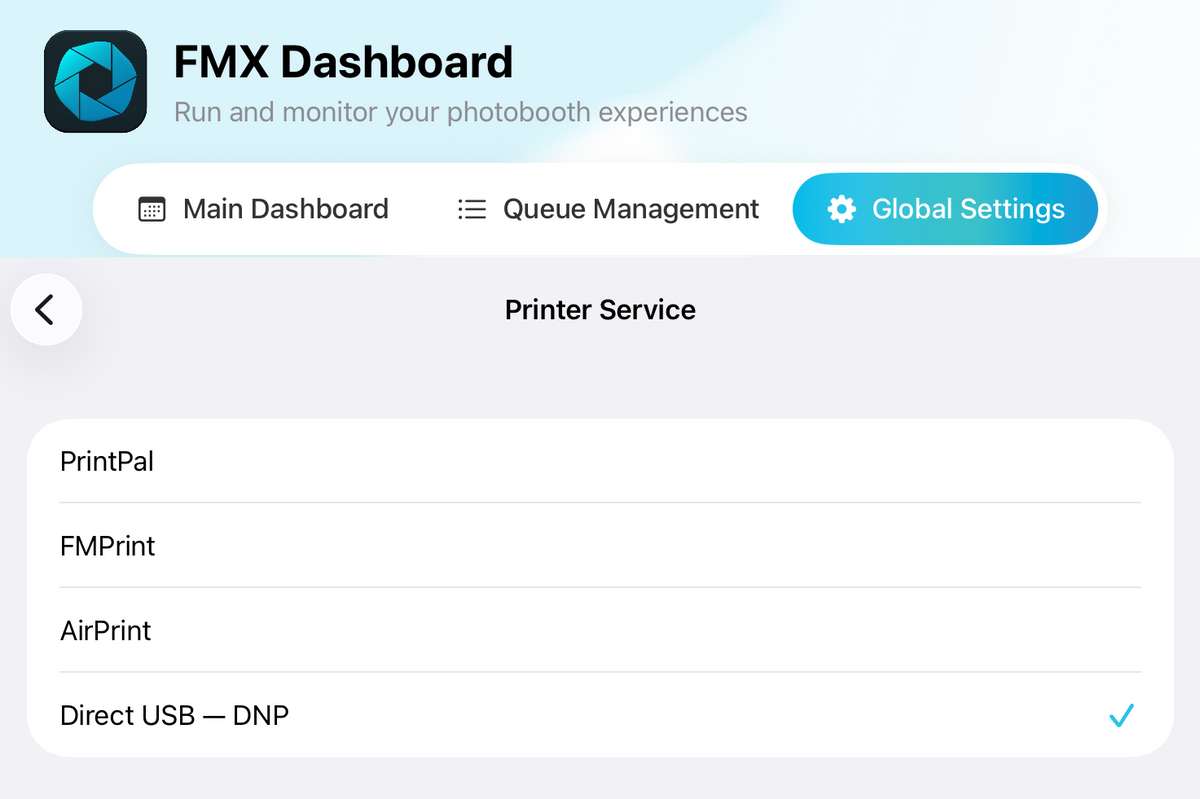
Plug a supported DNP printer into your iPad and FMX detects it automatically.
It identifies the connected printer and reads its available media, so you can get ready to print without setting up a separate computer or print server.
You can see how much media is left at a glance, and switch on a Low Media Alert so you know you're running low before the queue does.
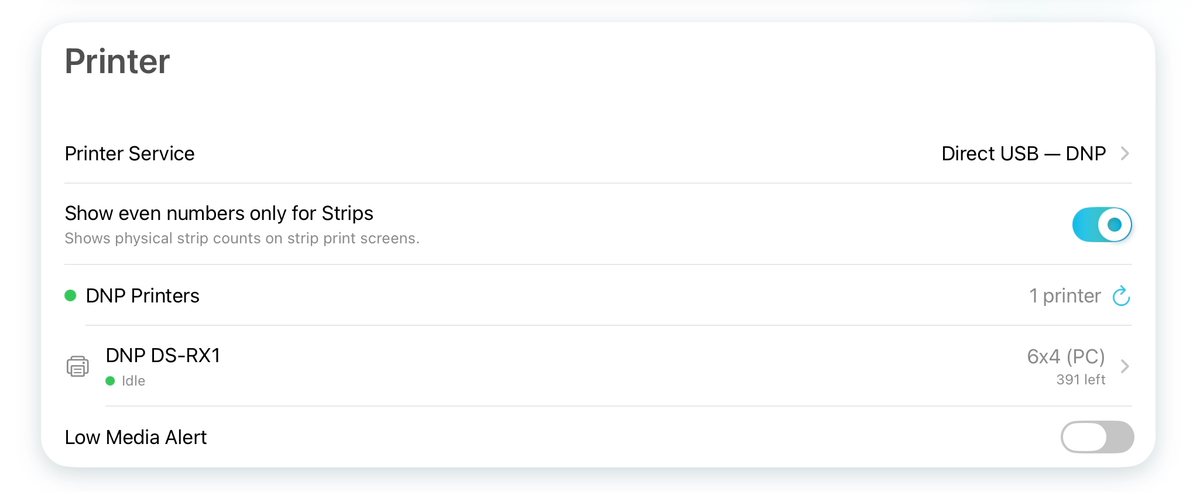
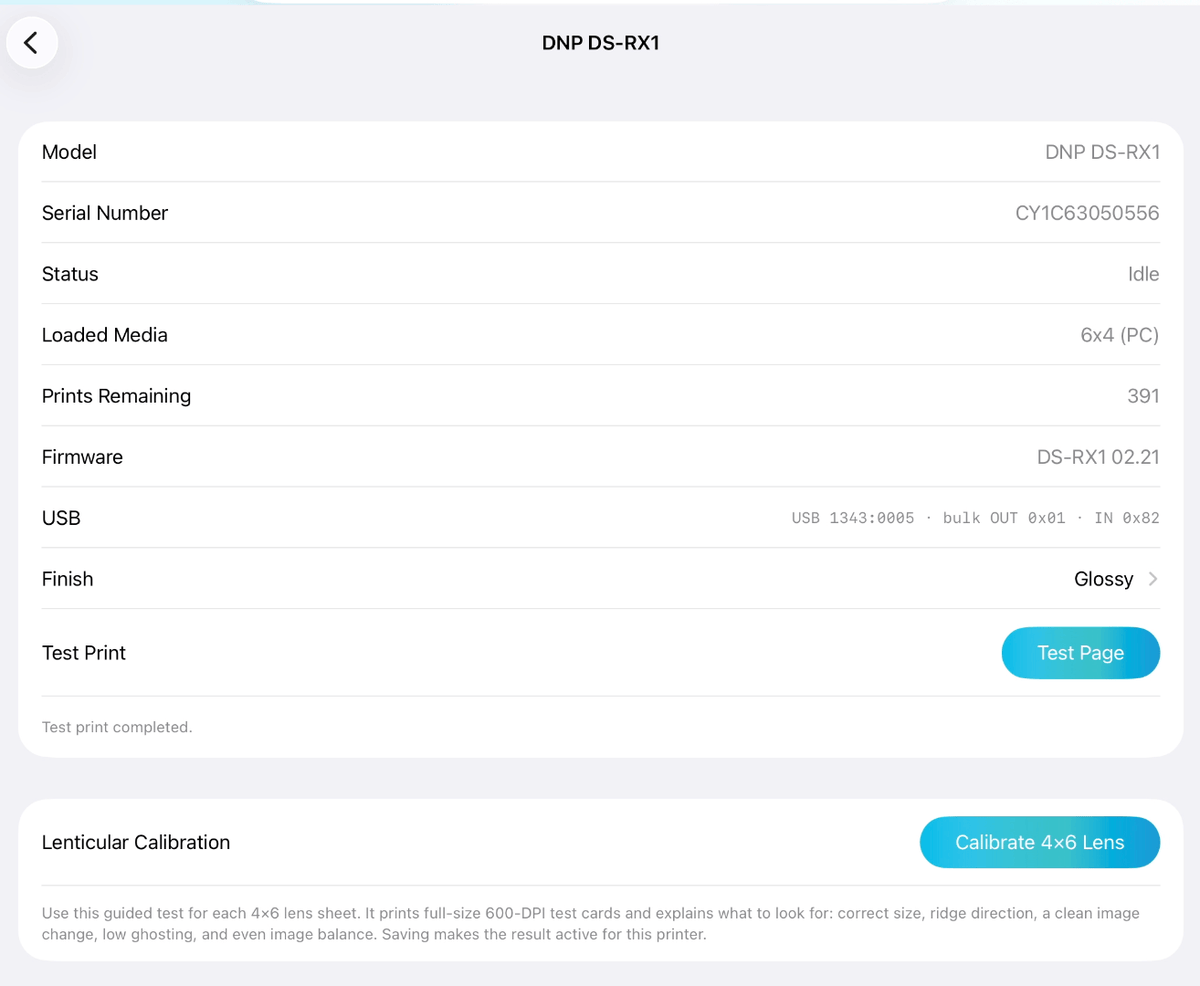
Once connected, open your printer settings in FMX to see its status, loaded media and remaining prints.
You can also choose the print finish, run a test print, and access printer-specific tools directly from the same screen.
For lenticular setups, this is also where you'll find Lenticular Calibration.
📱 More of Your Booth, Running from the iPad
Direct USB Printing is the latest addition to what you can run directly from FMX for iPad.
We recently added support for compatible DSLR cameras, removing the need for a Windows computer for DSLR-quality captures.
Direct USB Printing now does the same on the printing side.
You can now run a full professional booth, in a setup you can carry in one hand.
🧰 What you need
Supported Printers
Direct USB works with these DNP printers:
✅ DNP DS40
✅ DNP DS80
✅ DNP RX1 and RX1HS
Support for the DNP DS620, DS820 and QW410 is already in development for a future update.
iPad Requirements
Direct USB Printing requires an iPad with an M1 chip or newer, running iPadOS 16 or later.
We recommend using a powered USB-C hub so you can keep the iPad charging while it's connected to the printer.
🖨️ Choose the Printing Setup That Fits Your Booth
Direct USB is the simplest choice when the printer sits at the booth.
FMPrint lets you print through Foto Master Cloud, which is useful when the printer is located elsewhere at the venue or shared between multiple booths.
AirPrint and PrintPal remain available for compatible printers.
🚀 Start Printing
Direct USB printing is available now in the latest version of FMX for iPad.
Already using FMX? Update the app, connect a supported DNP printer, and follow the setup guide to run your first test print.
How to Set Up Direct USB DNP Printing on FMX for iPad →
New to FMX?
This is one part of a complete photo booth workflow built for iPad.
Capture with the iPad or a compatible DSLR. Build your experience in FMX. Add AI, sharing and printing. Use a Foto Master booth or compatible hardware you already own.