What’s New in Foto Master Cloud: New Features & Improvements
The new Foto Master Cloud is live. 🎉
This update makes everyday work in Cloud easier, adds new ways to run and brand your events, and brings several customer requests into the product.
The update is live now for every Foto Master Cloud user. Log in and you’ll notice the difference right away
Here's what's new. 👇
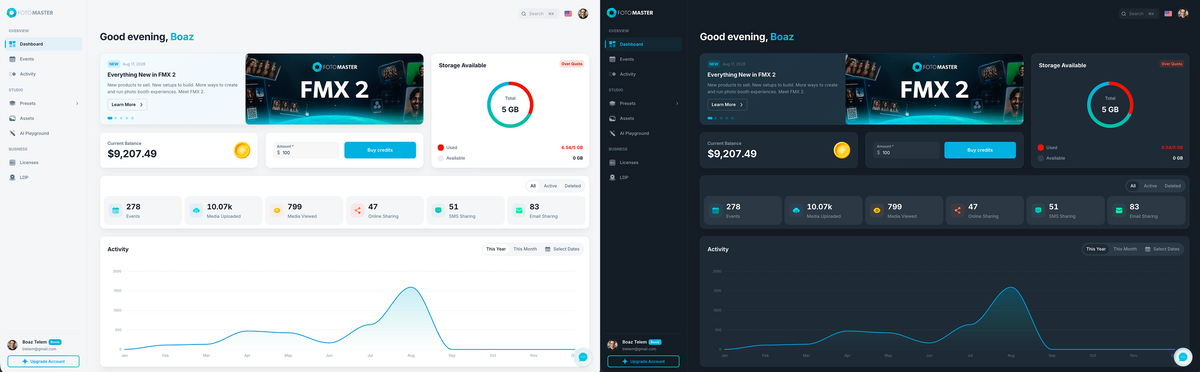
🌓 Meet the New Foto Master Cloud
We’ve refreshed the interface across the platform with cleaner layouts, clearer navigation, reorganized menus, and a more consistent experience from screen to screen.
The tools you use every day to manage your photo booth experiences are easier to find, and Cloud is easier to move around.
Dark Mode is here
You can now switch Foto Master Cloud to Dark Mode, for a more comfortable workspace when you're preparing an event at night or working in a dark venue.
🖼️ Your Cloud Galleries Can Do More
Event galleries now give you more ways to share photos, make browsing easier for guests, and keep your brand visible after the event.
Send photos by email or SMS, straight from Cloud
A client contacts you after an event and asks you to resend a photo.
You can now handle that from Cloud. Open the event gallery, find the photo, and send it by email or SMS, without going back to the booth or downloading and attaching the file yourself. This works alongside the sharing tools available across Foto Master's connected photo booth experiences.

💡 Why it matters: post-event requests can be handled from anywhere you can sign in to your Cloud account.
Browse with arrows or swipe
Guests can now move straight from one photo to the next.
Enable arrow navigation, swipe navigation, or both, and they can browse the whole event without closing each image and returning to the grid.
You decide whether navigation is available, gallery by gallery.

Add your branding to the gallery footer
Cloud Pro users can now add a custom footer to their galleries, including:
- Your logo
- Social media icons
- Custom links
Give guests a direct way to find your business, website, and social channels after the event.
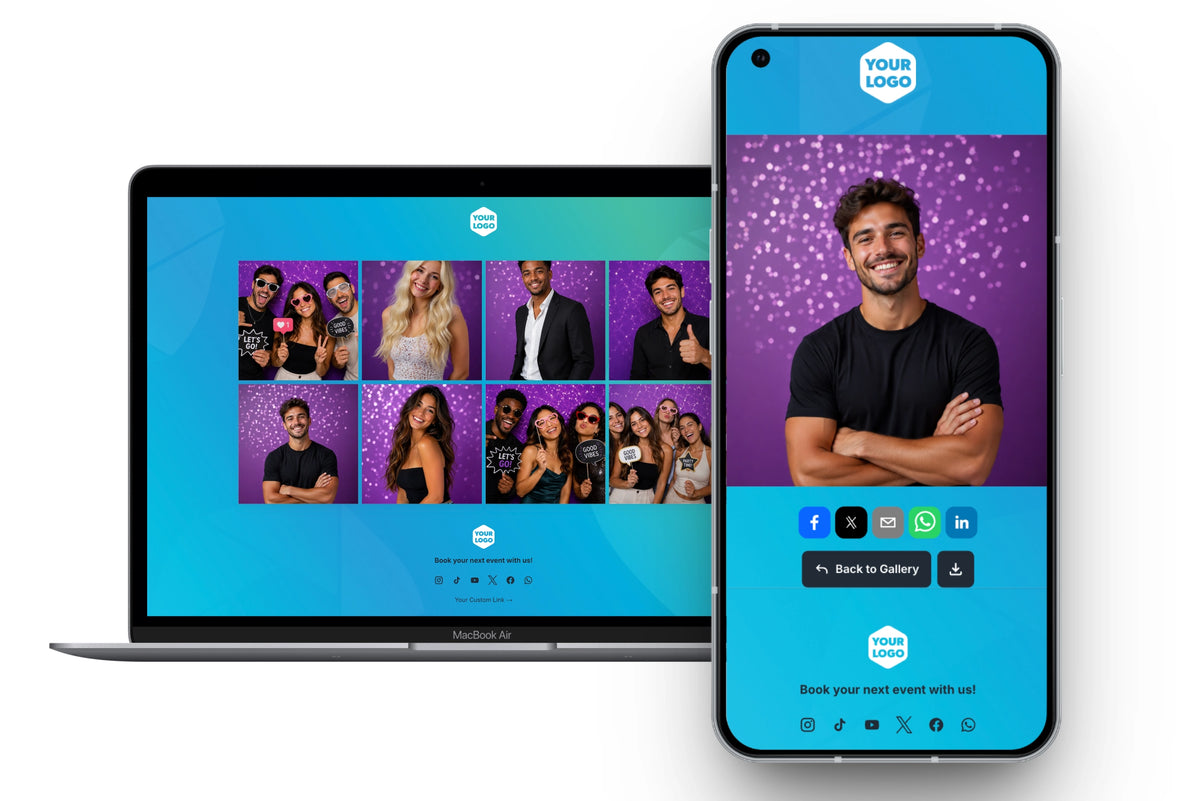
*Gallery Footer is available on Foto Master Cloud Pro plans. 💎
💡 Why it matters: your gallery keeps working for you after the event, with your brand on it and a way for guests to reach you.
📺 Live Web Slideshow
Turn the photos, videos, GIFs, and drawings from your event into a live presentation that runs entirely through Foto Master Cloud.
Build the slideshow in Cloud, choose what you want to show, customize the experience, and publish it. You get a live presentation link that can be opened on the screen at the venue.
No slideshow software to install on the display computer unlike traditional desktop slideshow setups.

Build it, publish it, share it
Every slideshow starts as a draft, so you can get everything ready before it goes live. When you’re ready, hit Publish.
Send the presentation link or downloadable QR code to the DJ, venue, or AV team. They can open it on their display while you keep control of the slideshow from your Cloud account.

You decide what goes on screen
Choose which media to include, from photos, GIFs, videos and drawings, and which sources they come from. Then shape the presentation with:
- Style presets
- Layout and transitions
- Photo and GIF duration
- Video playback settings
- Background and branding
- Logo and presentation title
- Grid spacing and appearance
- Media order
- Sponsor images and videos
A live preview sits beside the settings, so you can see how the presentation will look while you build it.
Give Sponsors Their Own Screen Time
Sponsor moments let you add a sponsor's image or video to the rotation, full screen, on a schedule you set. Choose how often sponsor content appears, how long images stay up, and let sponsor videos play to completion.
For corporate events, conferences, and brand activations, it gives you another way to build sponsor visibility into the experience.
Public or private, you decide
Share it openly when you want easy access at the venue, or protect it with a password when the event needs more privacy.
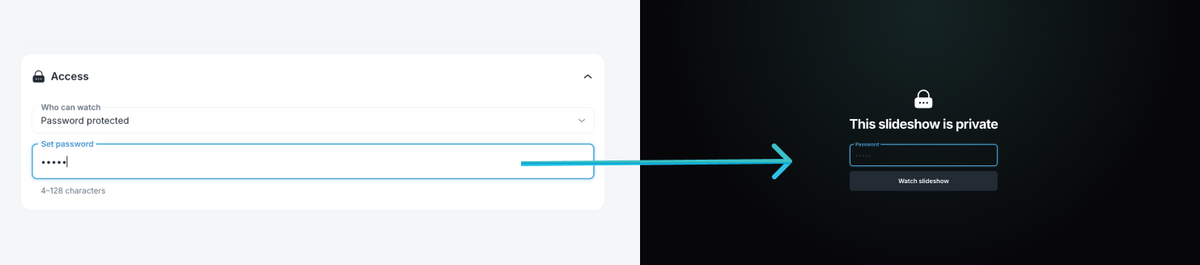
As new media comes in during the event, the slideshow picks it up automatically, following the rules you set.
*Web Slideshow is available on Foto Master Cloud Pro plans. 💎
💡 Why it matters: a live, branded slideshow no longer depends on a machine at the venue that has to be prepared in advance. Build it in Cloud, share a link, and change the presentation from your account while the event is running.
ℹ️ Get Help Without Leaving the Workflow Builder
The Workflow Builder gives you a lot of options, and sometimes you just need a quick reminder of what each step does.
That explanation is now built into the editor.
Look for the new info icons next to features. Open one and a short explanation appears right where you're working, and it stays open while you keep building, so you don't lose your place.
Need more detail? Each one links straight to the relevant Knowledge Base guide.

♻️ Deleted an Event? You Have 24 Hours to Restore It
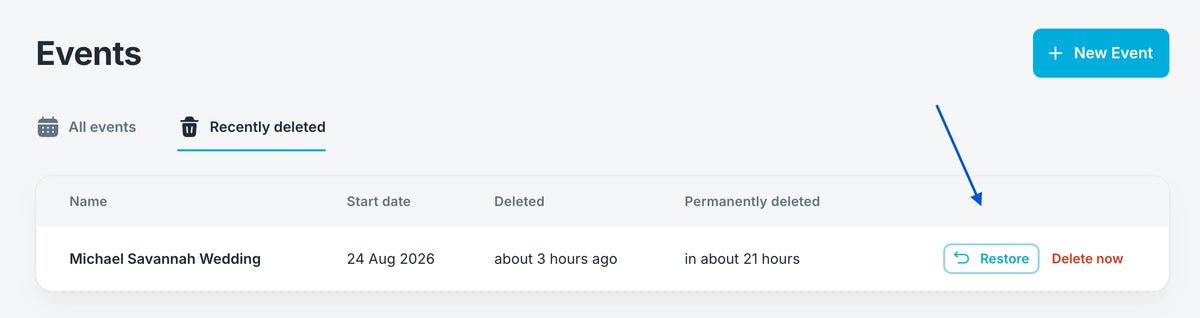
Deleting an event now has a safety net.
Cloud asks you to confirm first. Once confirmed, the event moves to Recently Deleted for 24 hours instead of disappearing straight away.
Deleted the wrong one? Changed your mind? Restore it within that window.
✨ More Improvements Around Cloud
A few smaller changes you'll notice right away:
✅ Search anywhere. Hit Cmd+K or Ctrl+K from any screen to find a page and jump straight to it.
✅ Reorganized menus. Different areas of Cloud are now easier to find.
✅ News that updates automatically. See the latest Foto Master releases and announcements inside Cloud.
✅ Faster loading across the platform.
🗣️ You Asked. We Built.
Many of these improvements started with Foto Master users.
We launched the Feedback Center in mid-June to give you a direct place to tell us what's missing, what's slow, and what would make your work easier.
Since then, 33 requests have been submitted, and 21 have already been released or resolved.
Several of the changes in this release came straight from requests submitted there.
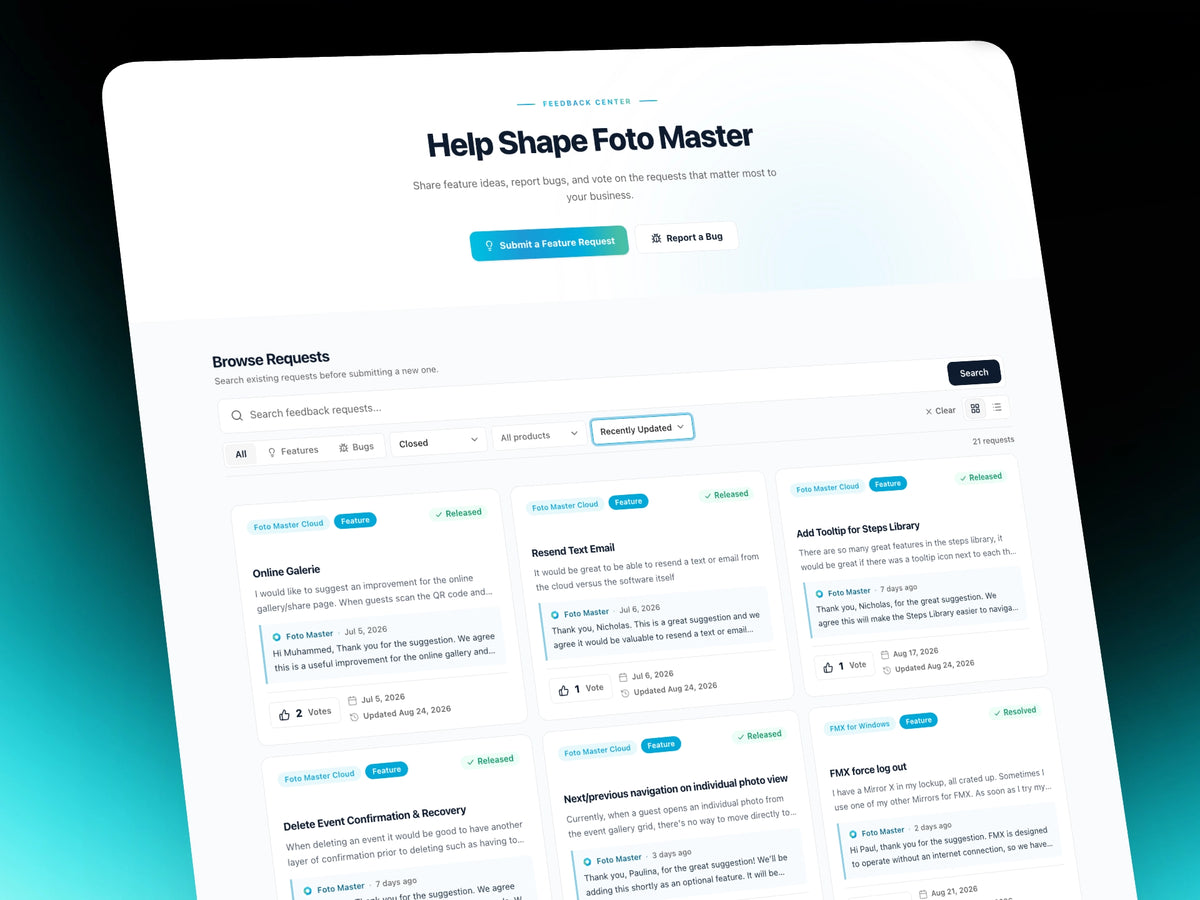
Keep them coming. If something is slowing you down, something is missing, or a tool could work better, send it through. We’re reading and tracking your requests, and they’re helping shape what we build next.
🚀 The New Cloud Is Live
Sign in to explore the redesigned interface, try Dark Mode, put the new gallery tools to work, and if you're on Pro, build your first Web Slideshow.
And keep the feedback coming. It's already shaping what comes next.