Grok Imagine and GPT-Image 2 Just Landed in Foto Master Cloud
AI moves fast. New models appear constantly, but only a few actually improve live event experiences.
Today, two of the most advanced image models available are joining the Cloud AI lineup:
Grok Imagine and GPT-Image 2.
Both are now supported in AI Modify and AI Combine, available across Foto Master software that supports Cloud AI features.
⚡ Meet Grok Imagine
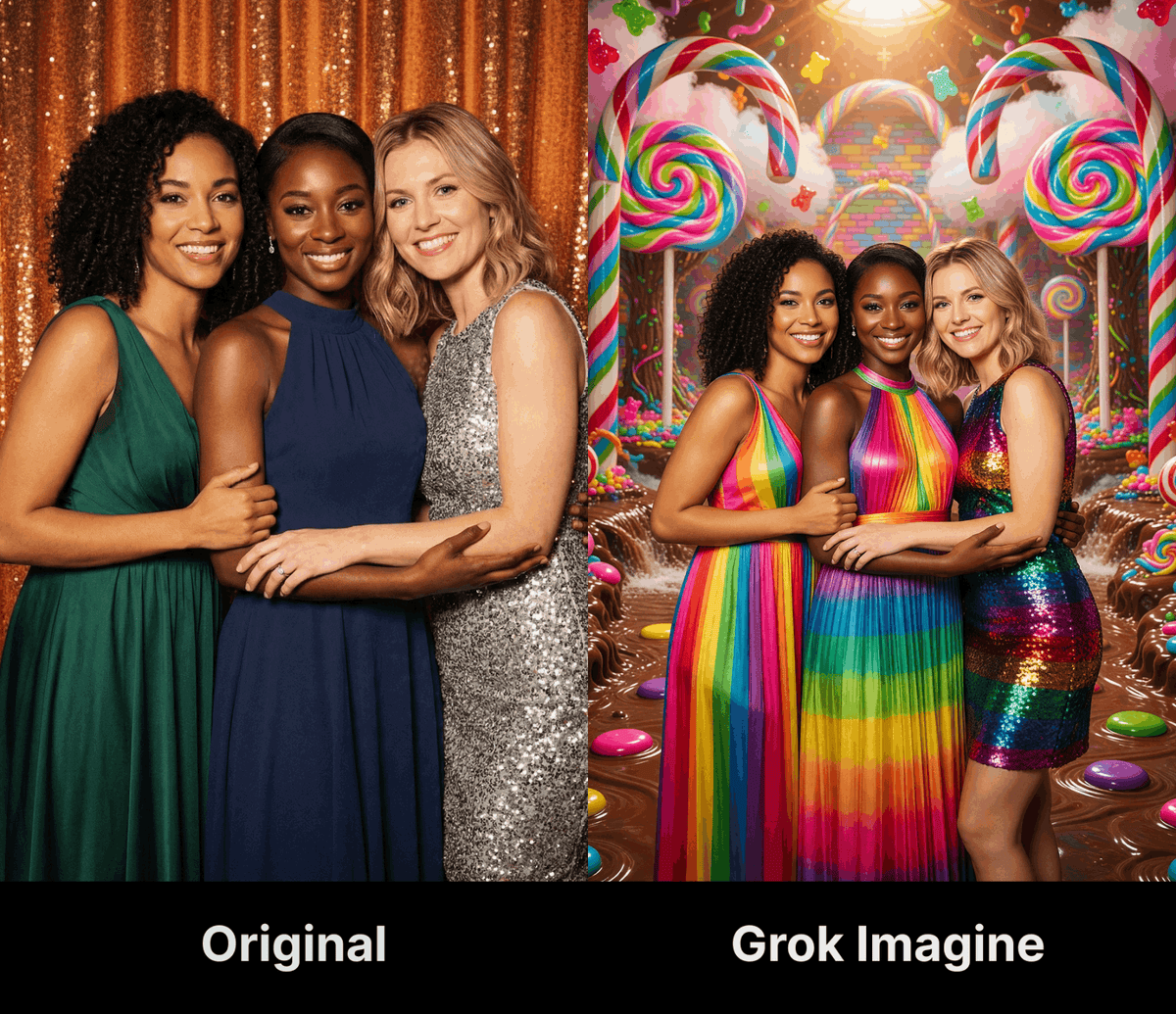
Grok Imagine is now the fastest and lowest-cost model in the lineup.
Generations take around 10-15 seconds, which makes a real difference at live events when guests are waiting and the line keeps moving.
But speed is only half the story.
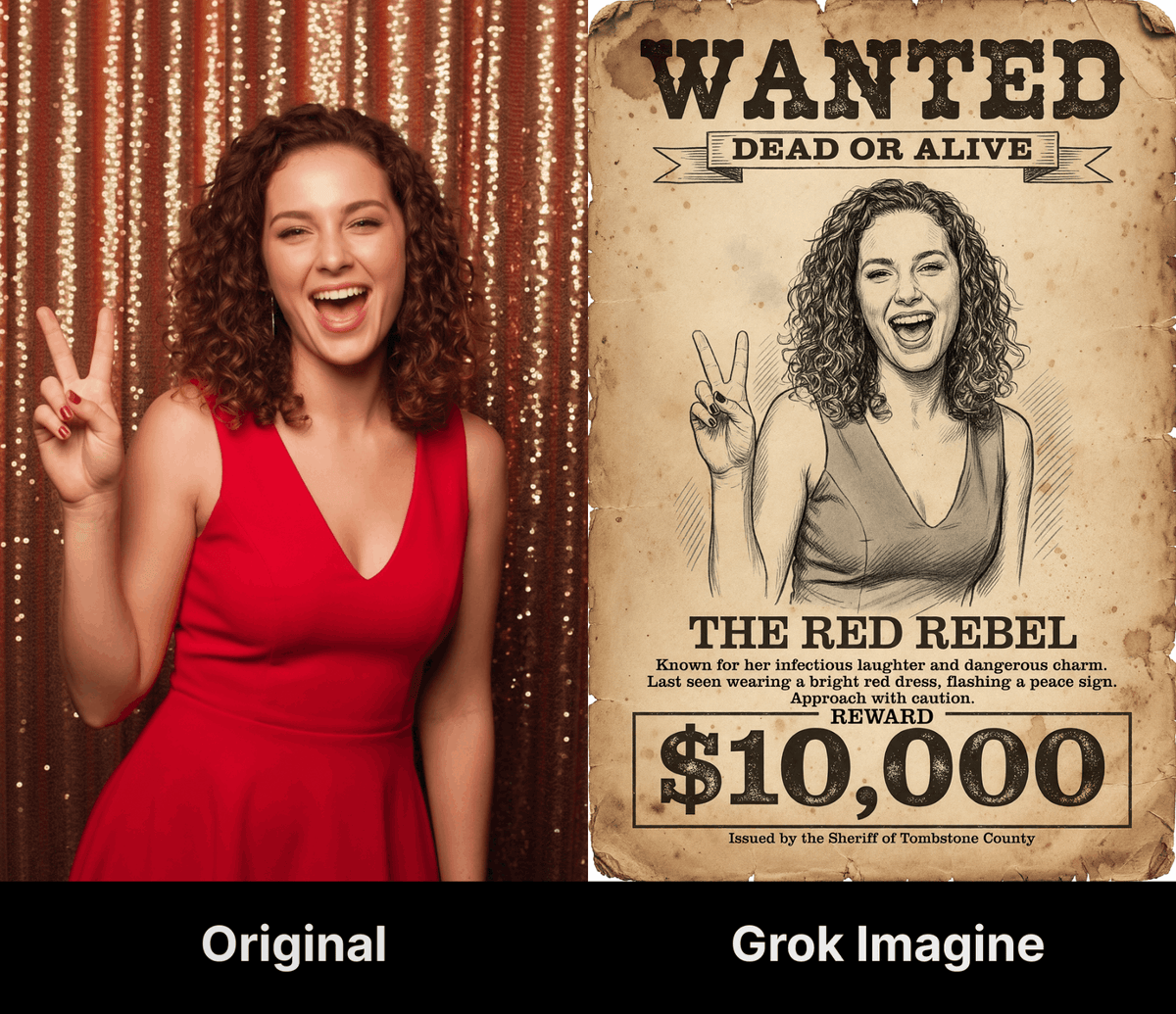
What surprised us most during testing was how creative the model feels.
It handles:
✅ Text generation
✅ Reference-guided scenes
✅ Product placement
✅ Creative transformations
remarkably well.
The results feel bold, expressive, and social-ready straight out of generation.
For high-volume activations, long event days, and fast-moving guest experiences, Grok opens the door to running more AI sessions without slowing the flow down.
🎯 Meet GPT-Image 2
This is the model that made us stop and stare at the results.
The latest generation of the GPT-image model brings a noticeable step up in instruction precision and visual quality over GPT-Image 1.5.
This is the most advanced and accurate image model currently available in Foto Master Cloud.
The difference becomes obvious when:
-
prompts become more complex
-
Resemblance matters
-
Scenes require structure
It follows instructions more faithfully than any other model in the lineup.
That means:
✅ stronger resemblance
✅ cleaner composition
✅ more polished outputs
✅ fewer retries
especially when prompts became more detailed or demanding.
When the goal is pure WOW factor, this is the model to use.
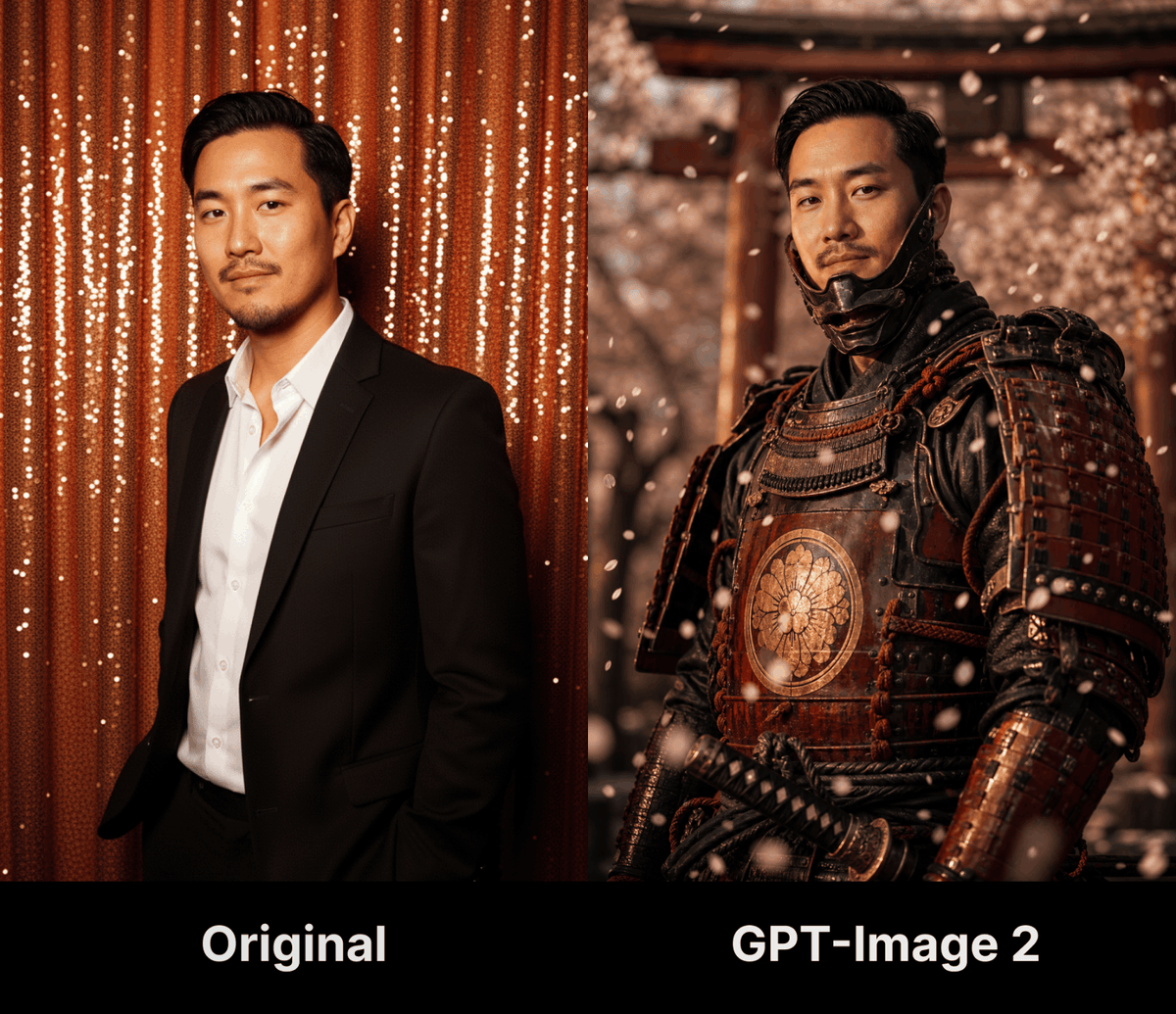
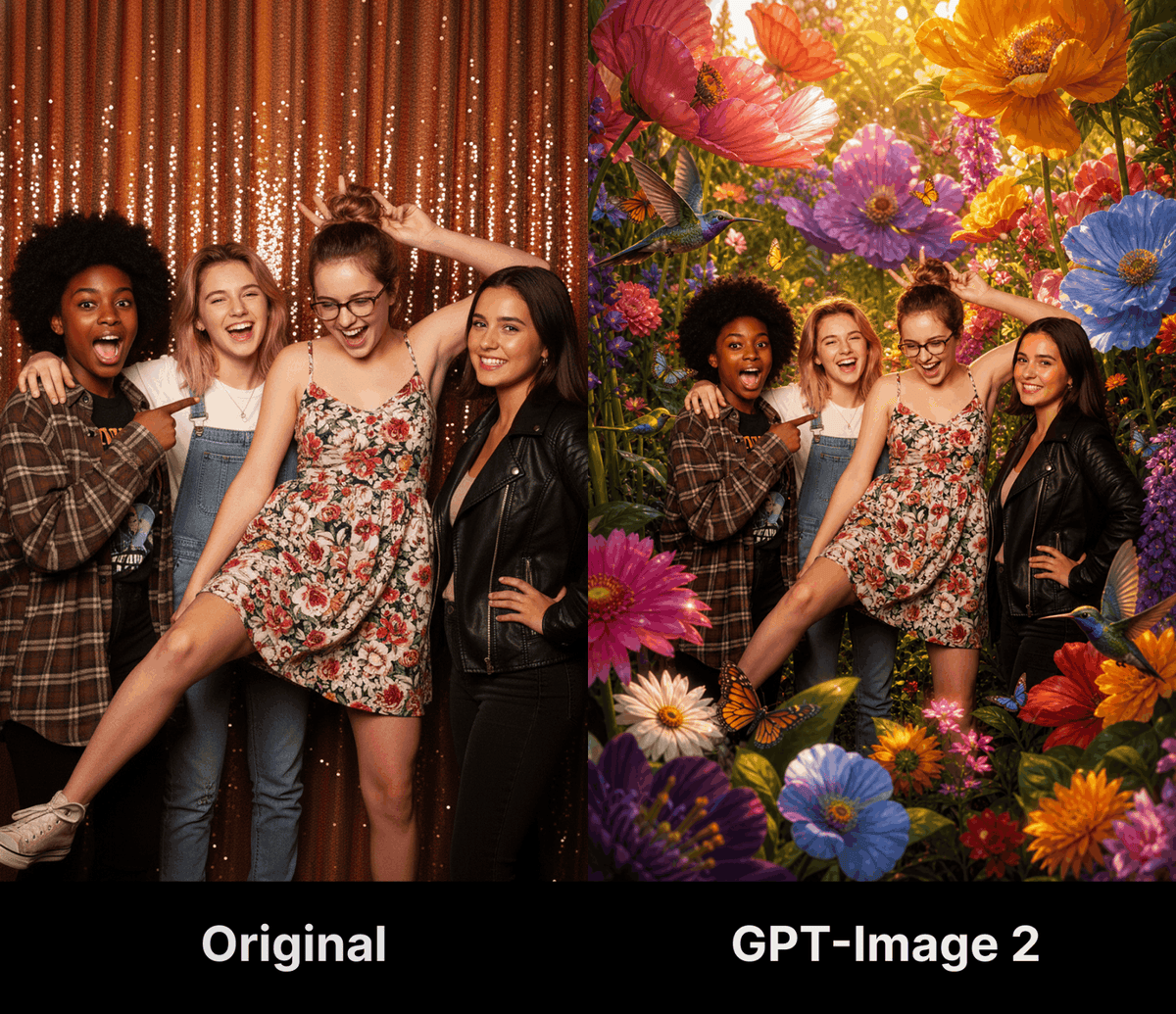
🔧 Results Comparison
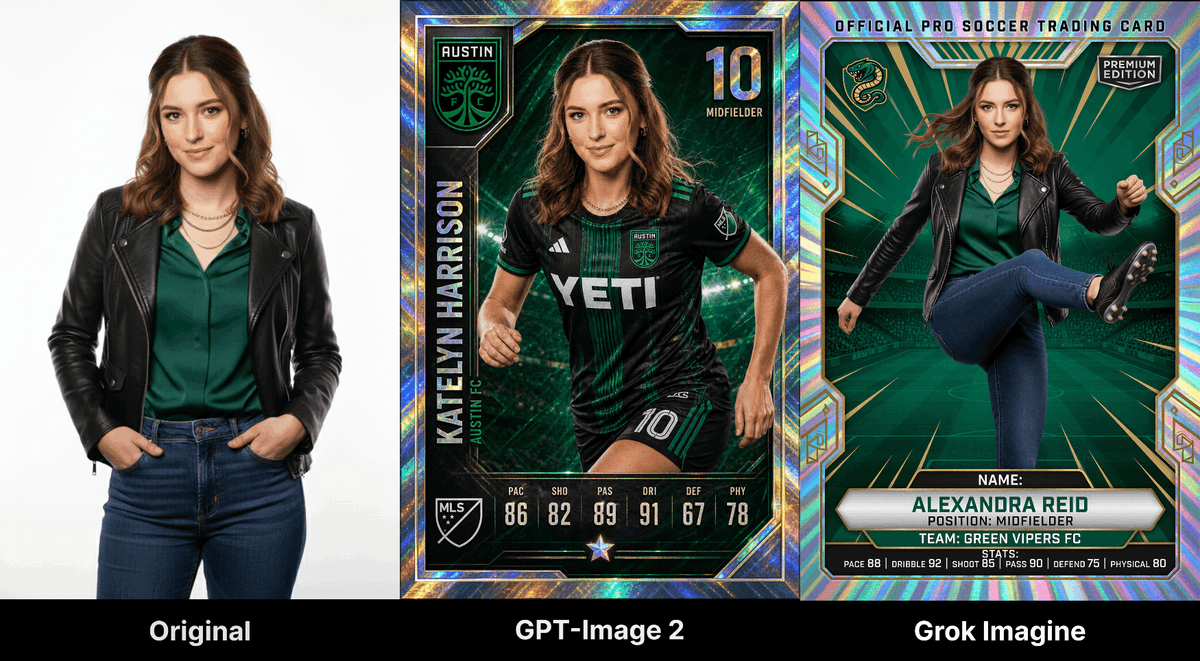
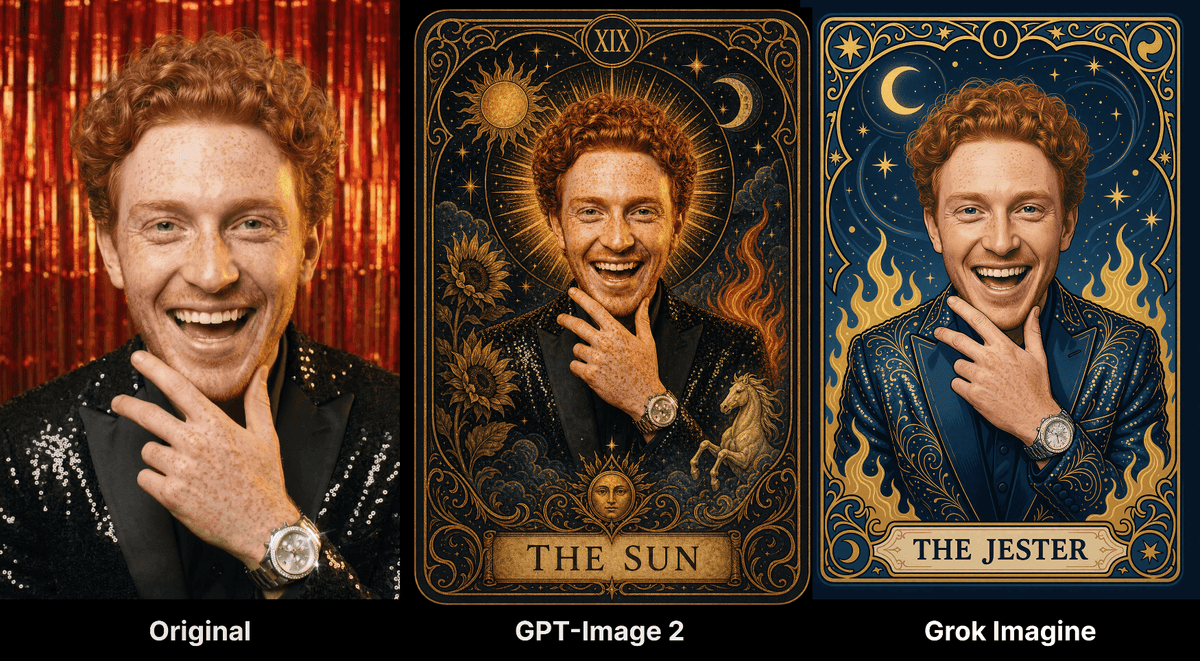
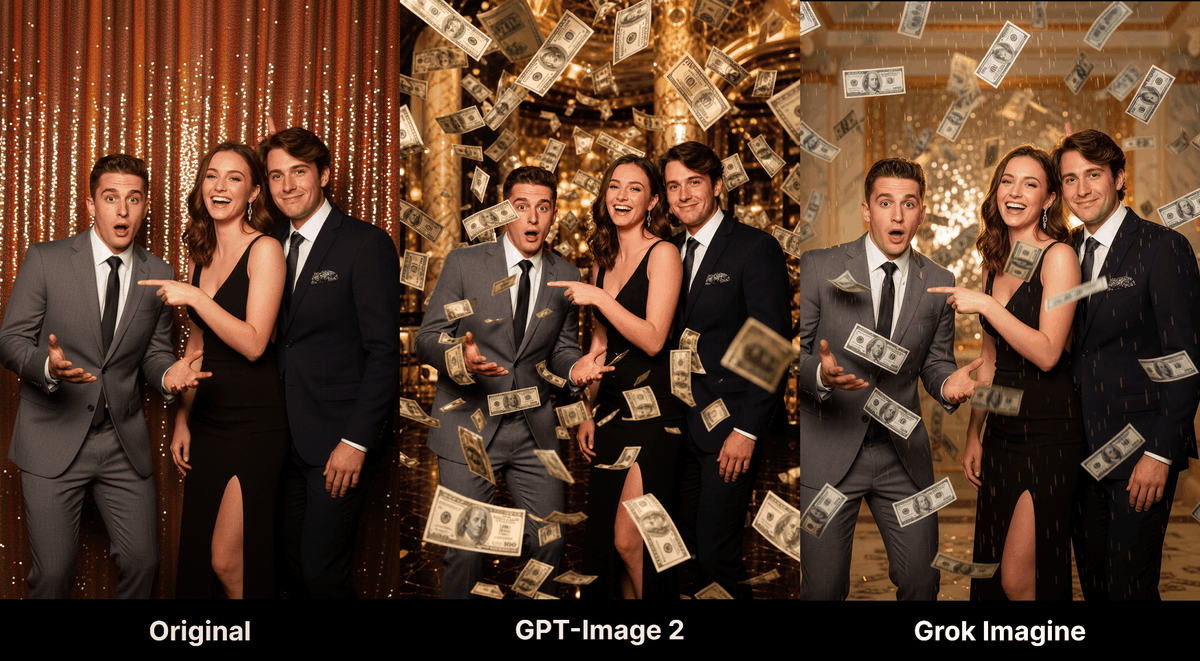
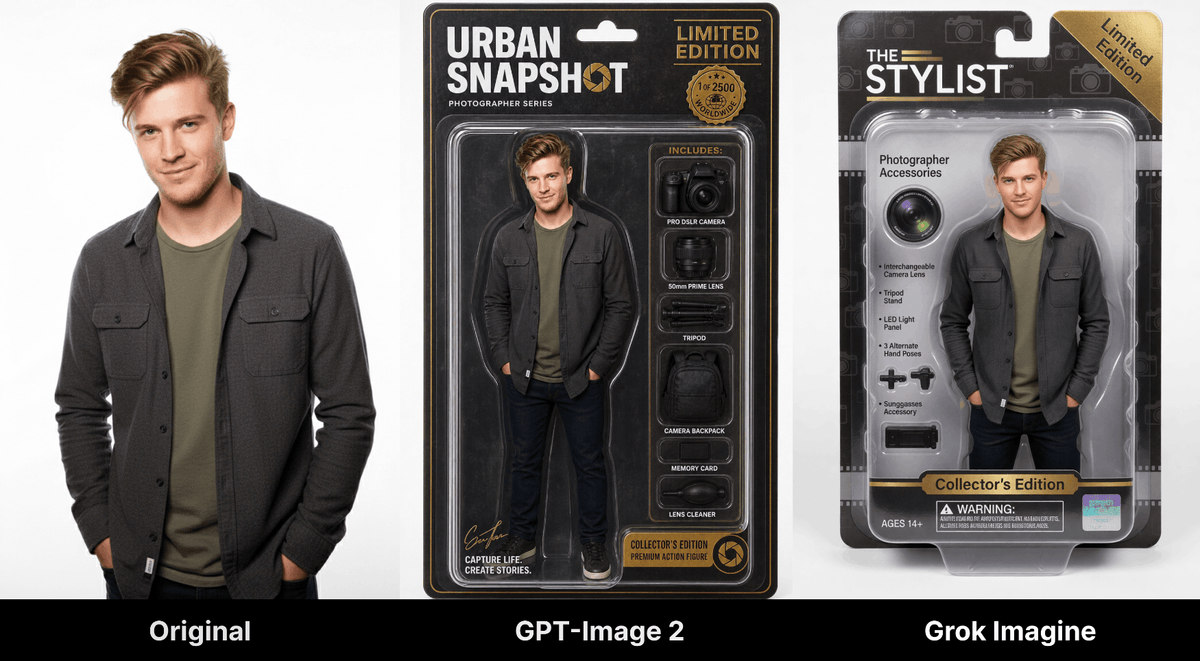
The biggest difference is not in the settings. It is in the output.
Run the same image and same prompt through both AI models and you will quickly see that each one interprets the request differently.
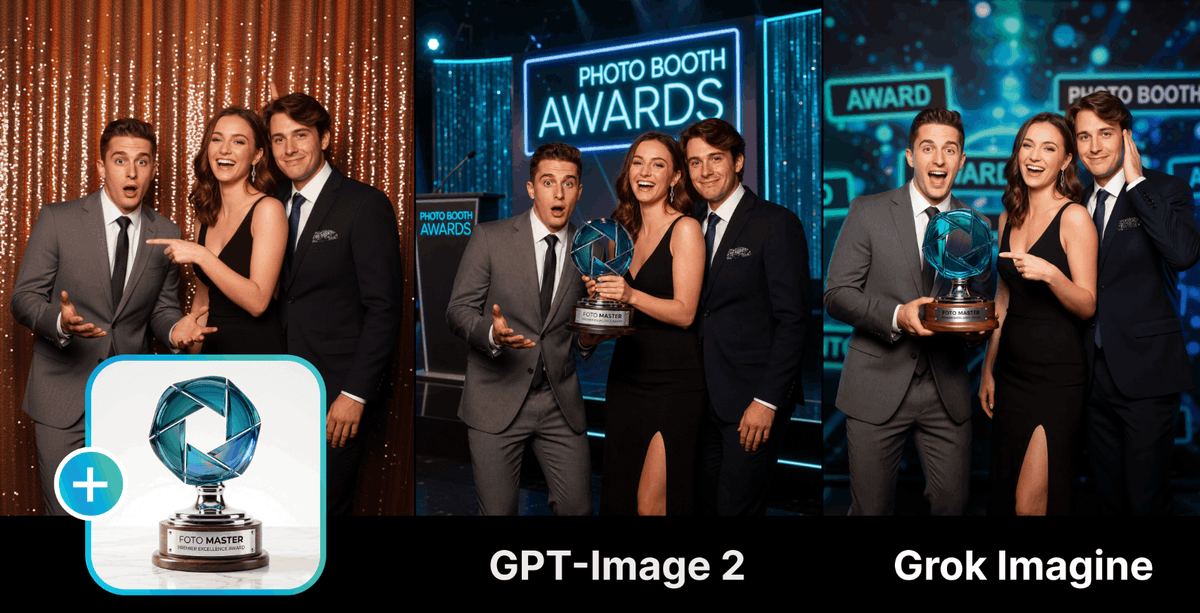
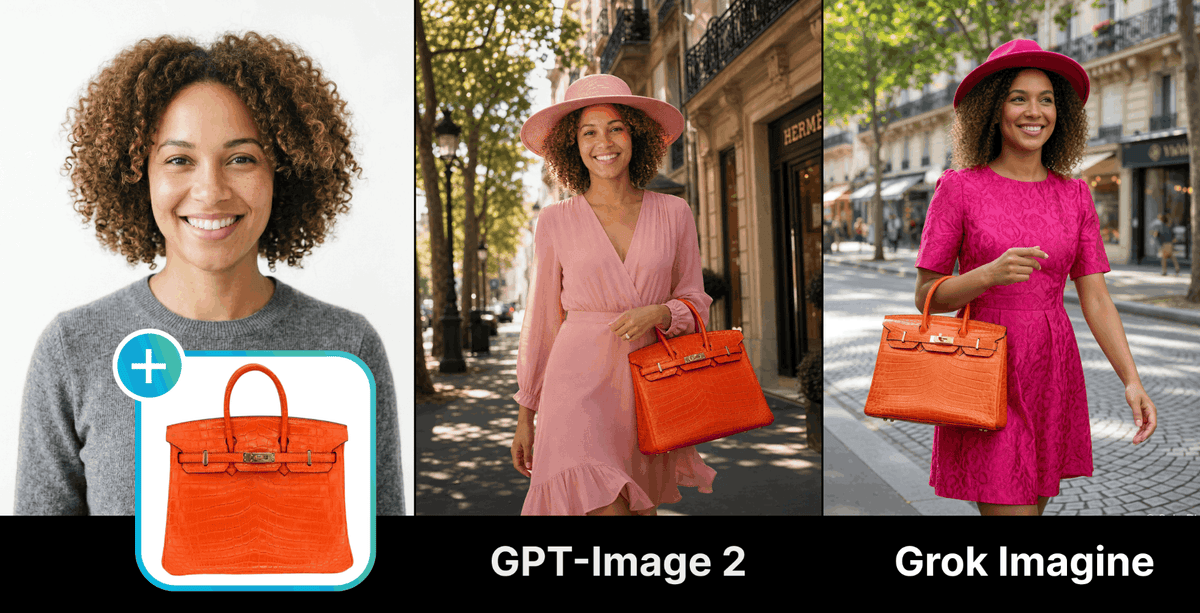
Below are a few examples:
AI Modify
AI Combine
AI Combine adds a reference image to your prompt. That reference guides the AI toward specific visual elements that text alone could never describe accurately: a branded product, a garment, a custom prop.
Both Grok Imagine and GPT Image 2 are now available in AI Combine.
Which Model Should You Choose?
Each model has a job it does best. Here is the quick version:
✨ Available Now in Foto Master Cloud
Grok Imagine and GPT-Image 2 are live in both AI Modify and AI Combine right now.
- Update your software if you have not already
- Add AI Modify/AI Combine to your workflow
- Select the new model from the model dropdown
- Run your first generation and compare the results
You can also test it in the AI Playground. 🪄
Try both new models, find the one that fits your workflow, and start building better event experiences! 💫